
Product design · Concept · 2026
Zest
Logging food fails on effort and on judgement. Zest takes the effort and drops the judgement.
- Role
- Product and UI design
- Platform
- iOS app, 390×844
- Scope
- 10 core screens, 11 edge-case screens, design system
- Status
- Concept, designed in Figma with an interactive prototype
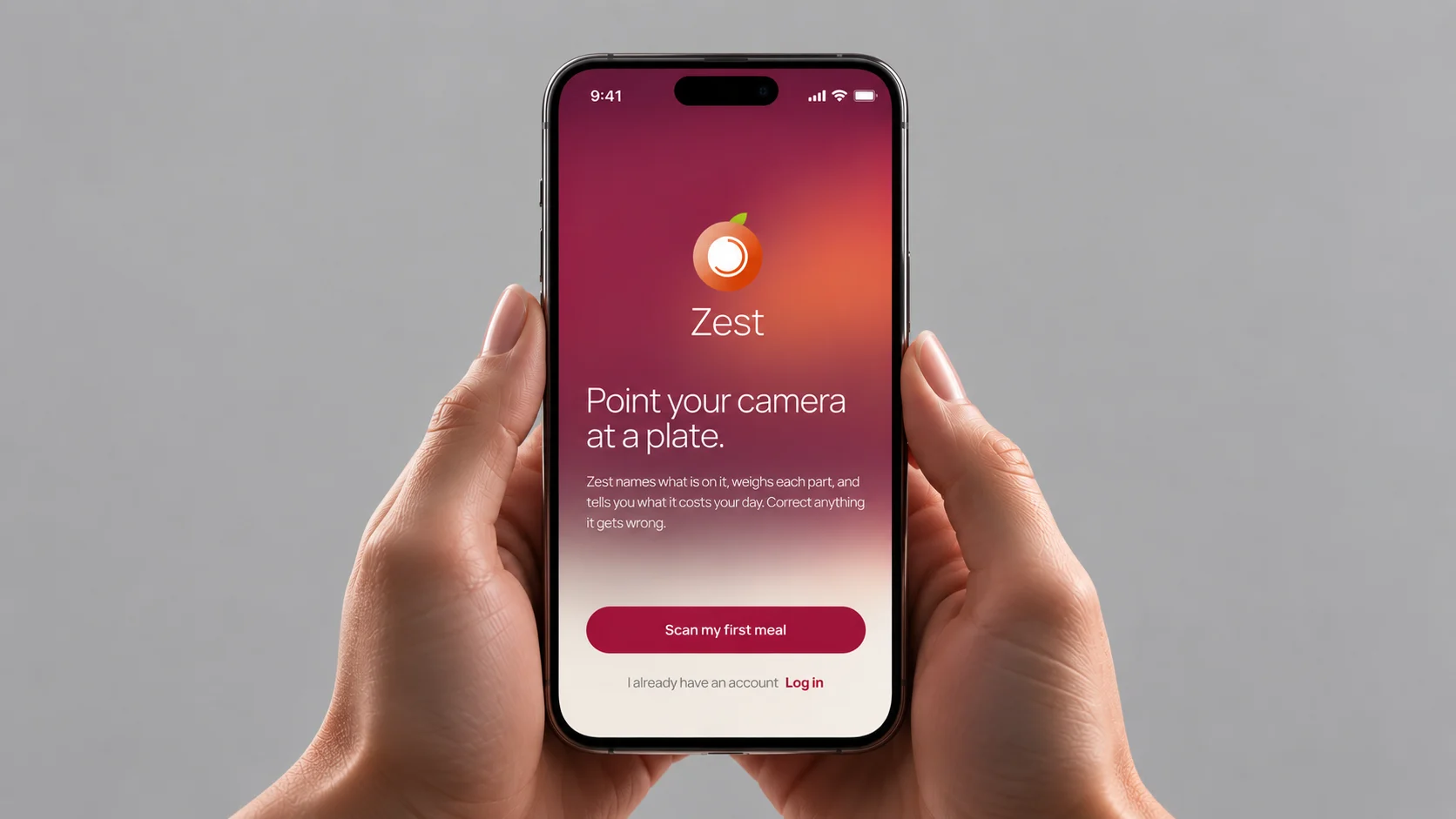
The problem
Counting calories by hand means search, weigh, type. It is slow enough that people stop. And the moment a day goes over plan, red numbers and “you failed” make them stop faster.
The brief came with two user stories. Both break on that same effort.
- “How many calories are in this dish or product?”
- Today the answer takes a search, a guess at the portion and some arithmetic, for every item on the plate.
- “Find me a recipe that suits me.”
- Most recipe lists ignore what the person has already eaten, so “suits me” turns into guessing.
Hypothesis
If logging a meal is one photo and one confirmation, and the app states facts without verdicts, people will log more of their meals and keep logging through days that go over plan.
If recipes are ranked by what is left today and say why they fit, people will choose one instead of guessing.
This is a concept. Nothing here has been built or tested with users yet, so every decision below is a bet on this hypothesis, not a proven result.
Photo to logged meal
The key flow
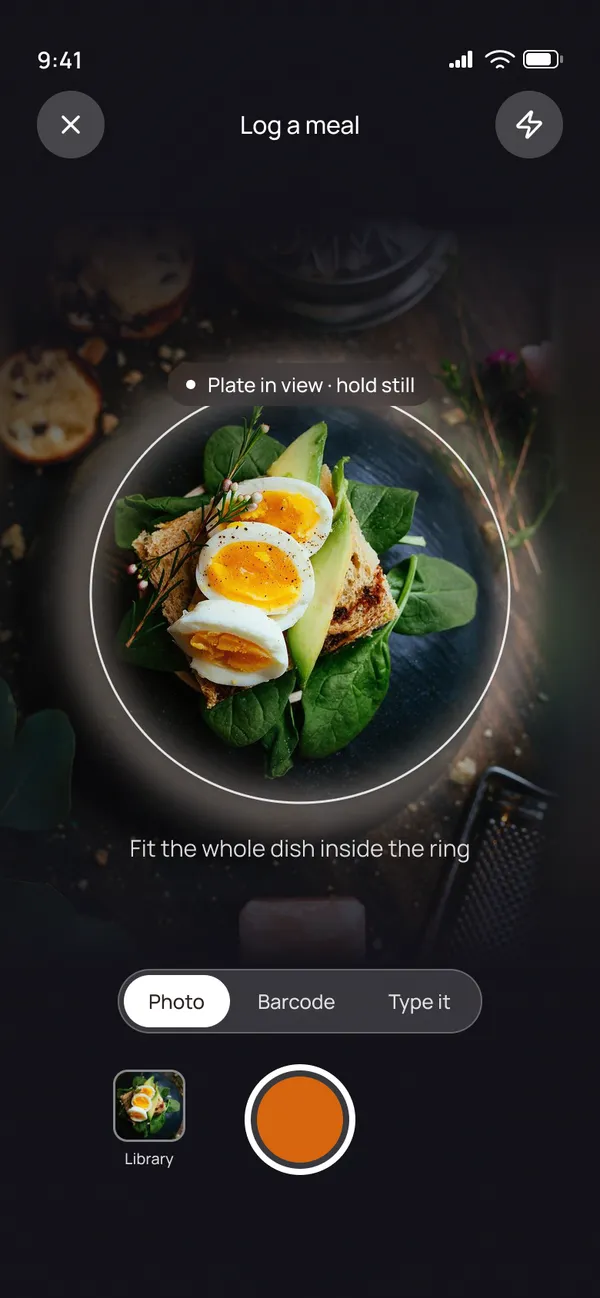
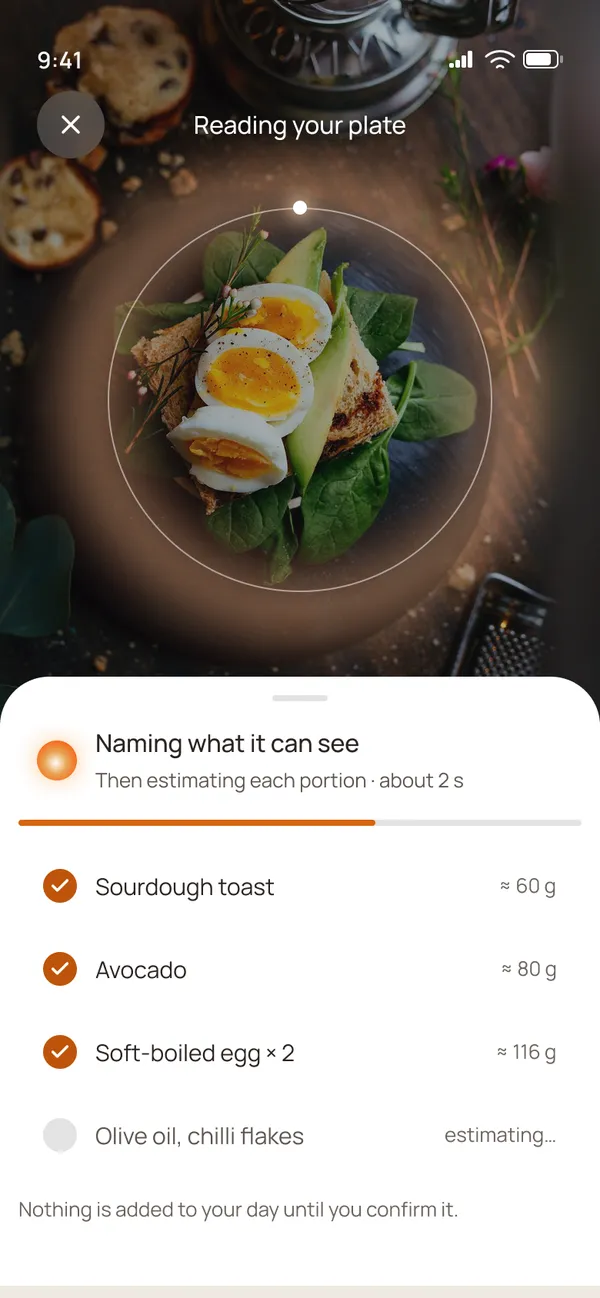
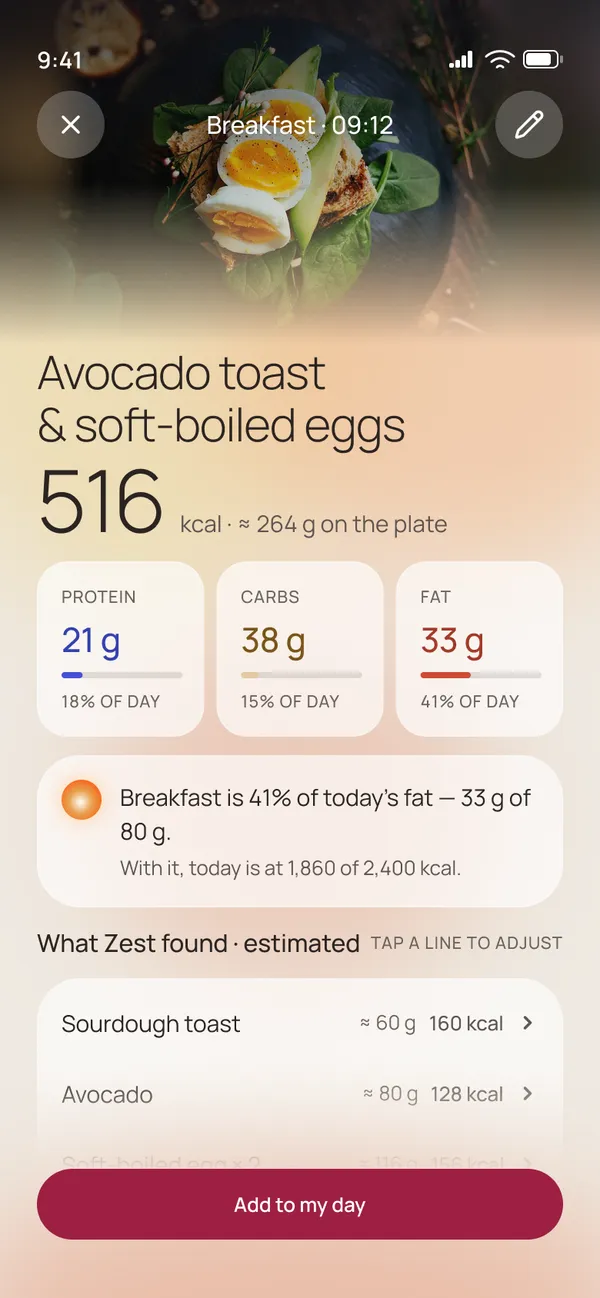
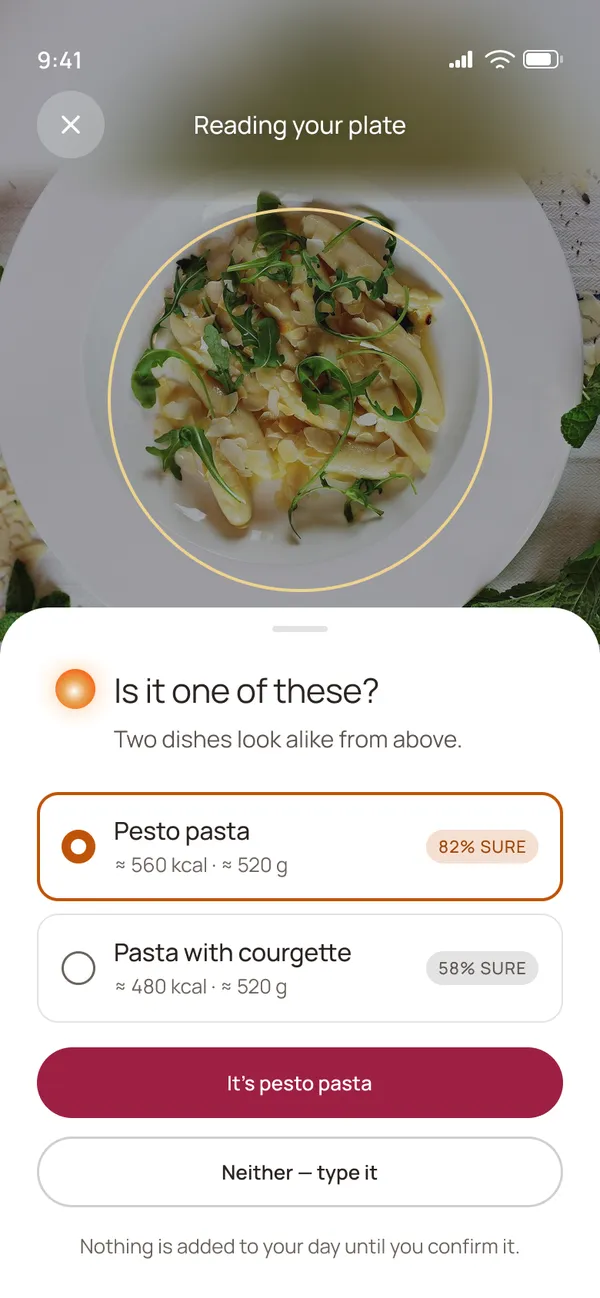
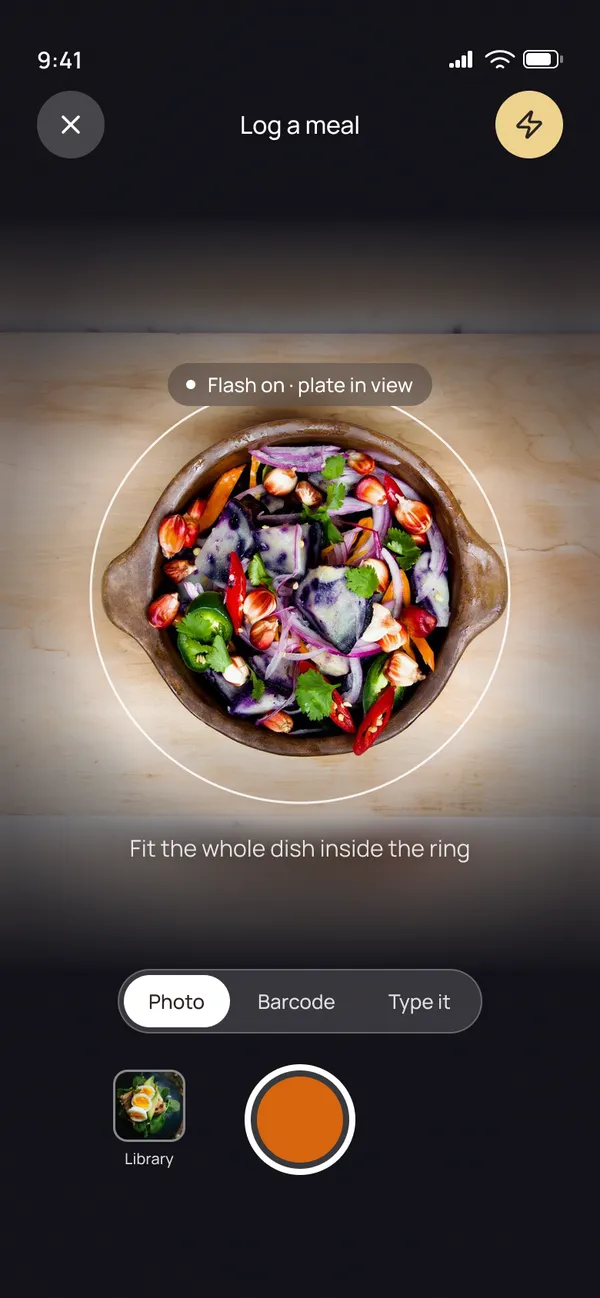
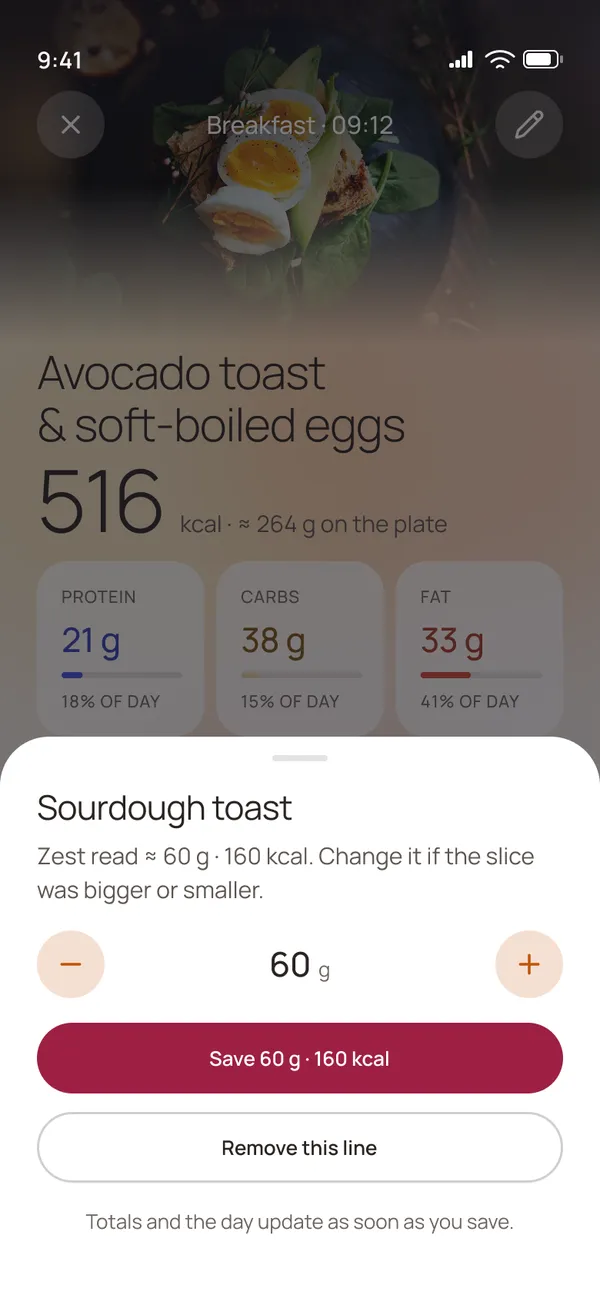
The whole flow is one photo and one tap. The person points the camera at the plate and fits the dish inside the ring. Zest names what it can see, then estimates each portion. The result shows the calories, the macros and what this meal means for the day.
- Estimates are marked “≈”. Zest says “≈ 60 g”, not “60 g”, so nobody mistakes a guess for a measurement.
- Everything is editable. Every detected line opens with a tap, and the portion can be changed before or after saving.
- Nothing is logged without a tap. “Nothing is added to your day until you confirm it” sits right under the detection list.
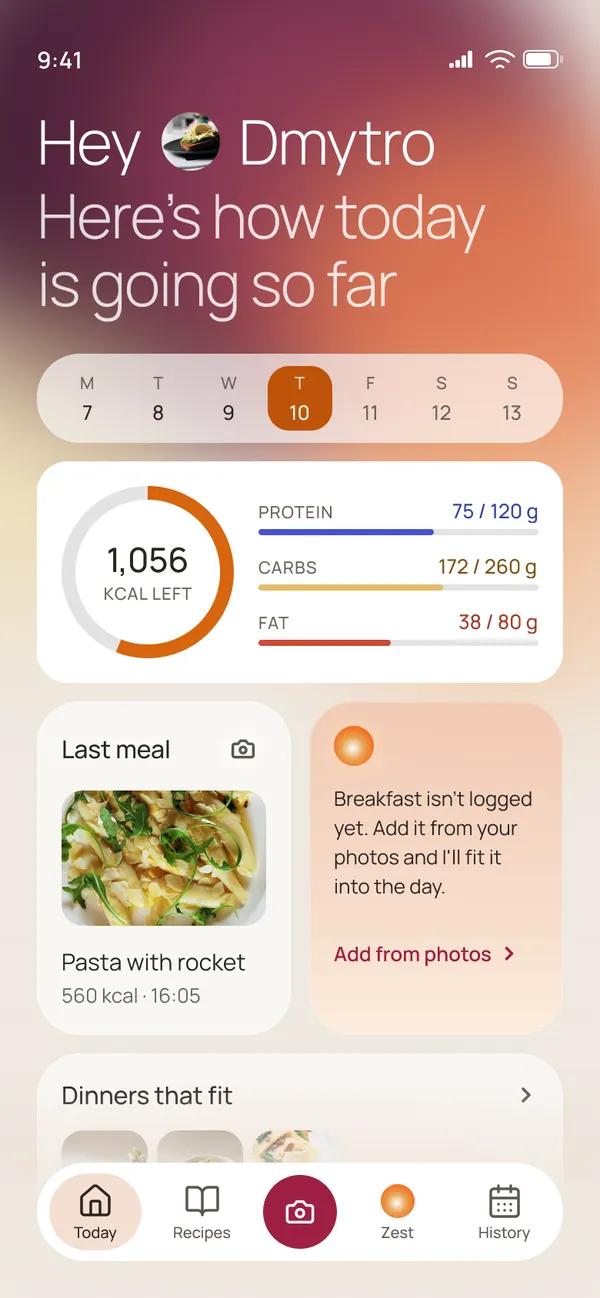
- Context, not a score. The result says “Breakfast is 41 % of today’s fat, 33 g of 80 g” and shows where the day stands, with no good or bad label.
Role of AI
It does the tedious part
The AI names what is on the plate, estimates each portion, does the arithmetic against today’s targets and suggests what fits next. The person stays in control.
When it is unsure, it says so. If two dishes look alike from above, Zest asks “Is it one of these?” and shows how sure it is: pesto pasta at 82 %, pasta with courgette at 58 %. The person picks one, or types it in.
Ask Zest
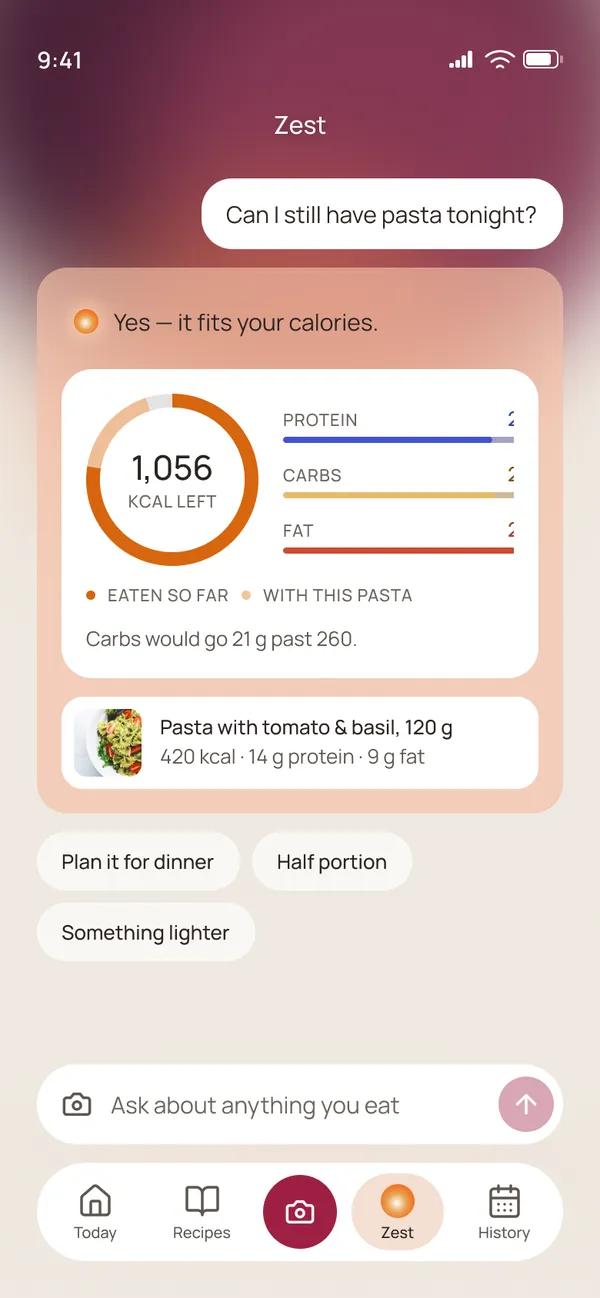
The Zest tab is a chat about food that already knows the day. To “Can I still have pasta tonight?” it answers with the fact first, “Yes, it fits your calories”, shows the budget with the pasta added, and is honest about the trade-off: carbs would go 21 g past 260. Then it offers next steps: plan it for dinner, a half portion, or something lighter.
Recipes that fit what is left
Recipes and recipe detail
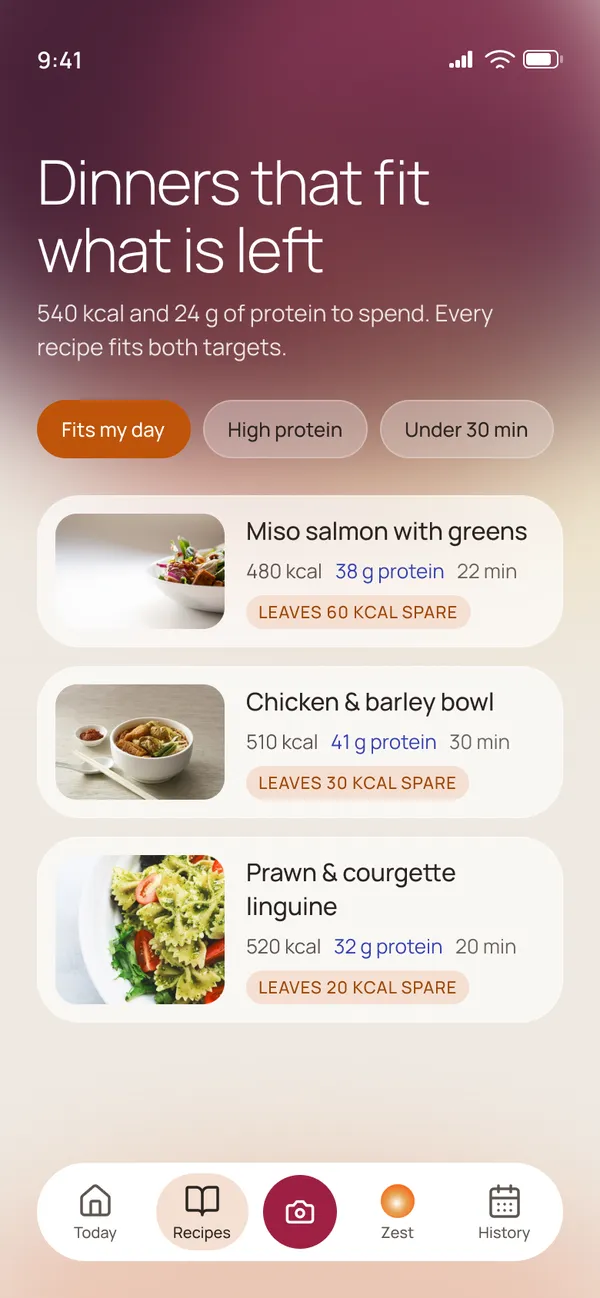
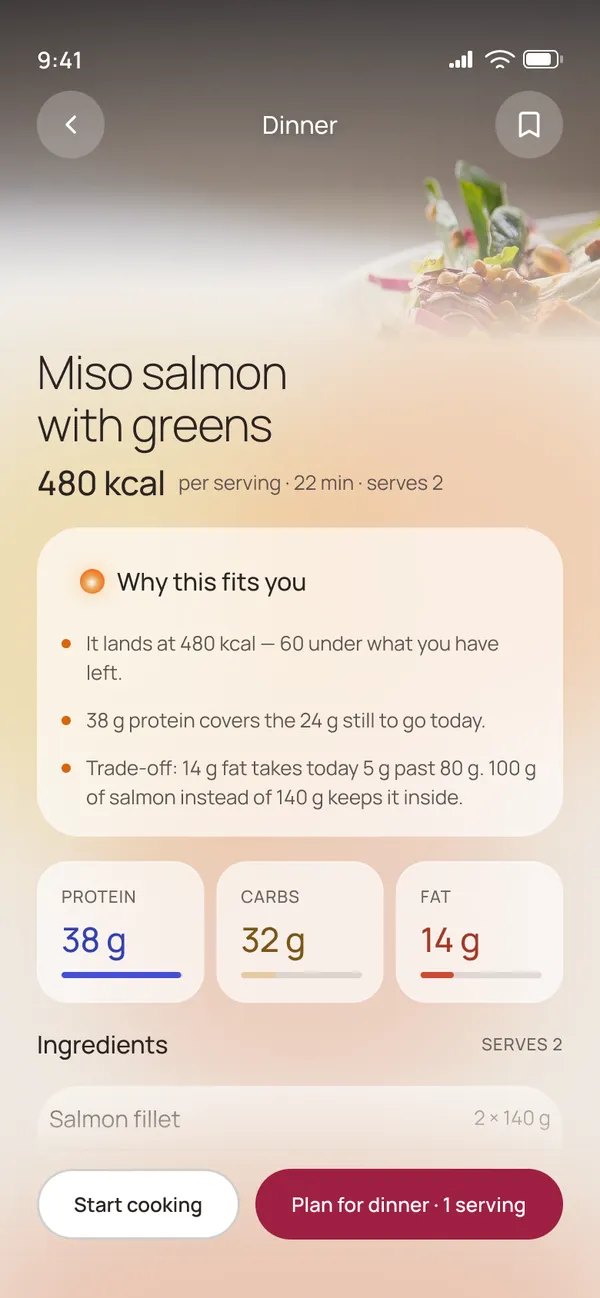
Recipes open on “Dinners that fit what is left”: 540 kcal and 24 g of protein to spend, and every recipe fits both targets. Each card says how much it leaves spare, for example “Leaves 60 kcal spare”, so the list is ranked by the day and not by popularity.
The recipe page explains why this fits you in plain lines: it lands at 480 kcal, 60 under what is left; 38 g of protein covers the 24 g still to go. It names the trade-off too: fat goes 5 g past 80 g, and 100 g of salmon instead of 140 g keeps it inside.
No verdicts
When a day goes over
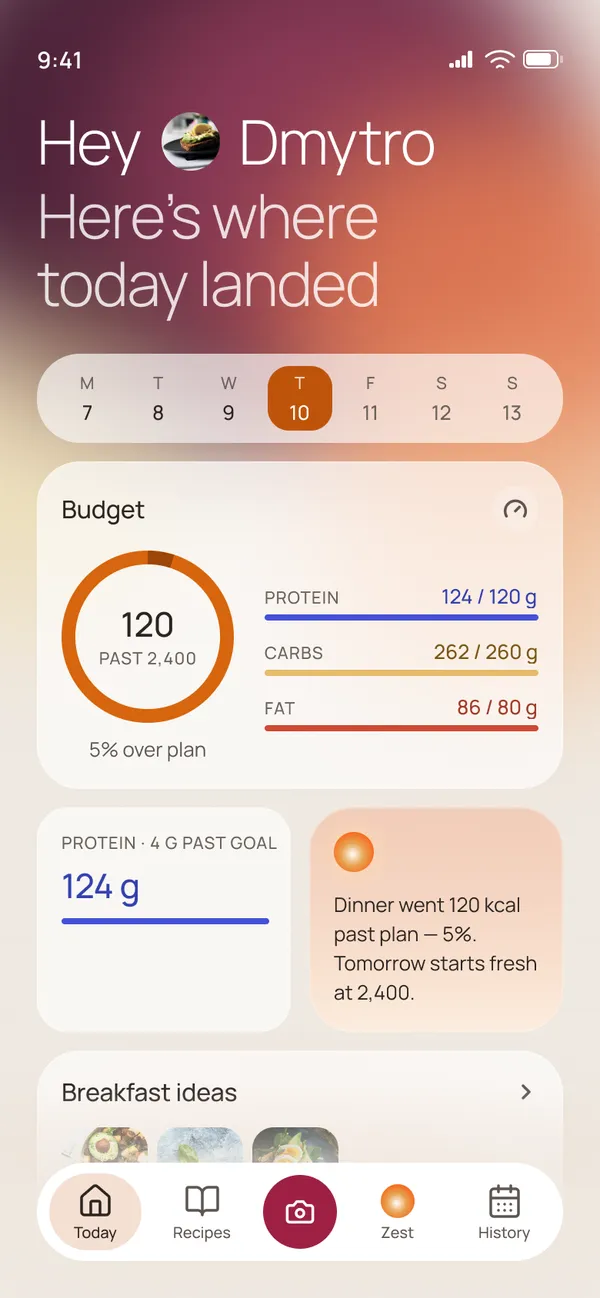
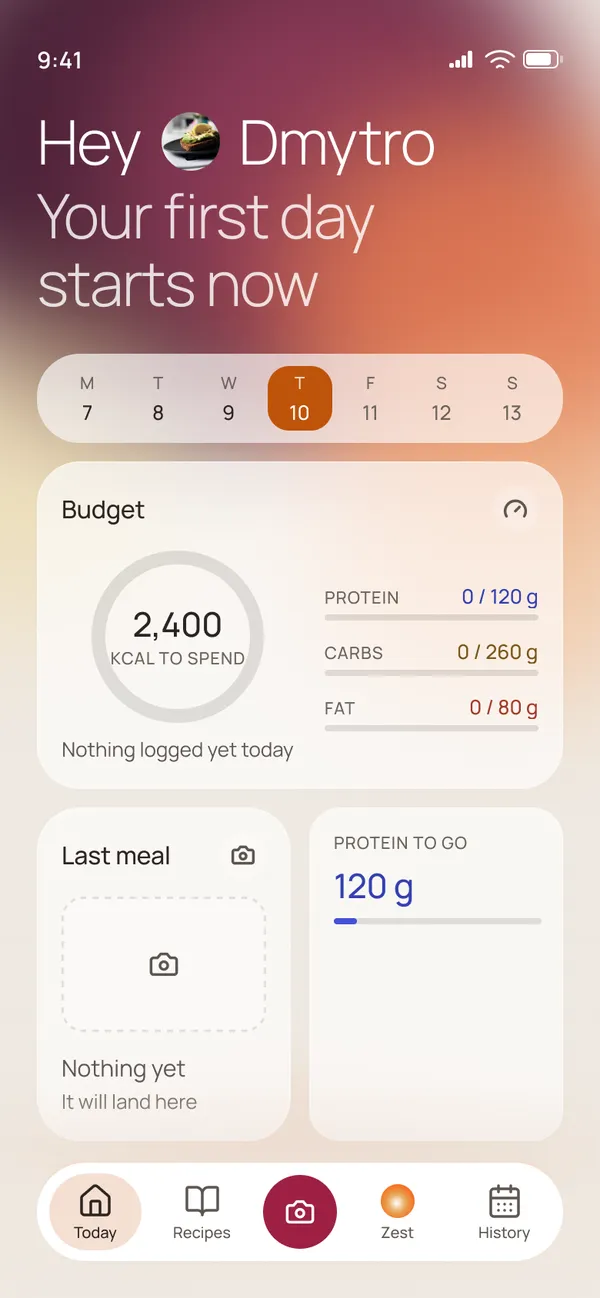
Going over plan is where most people quit, so this is where the tone matters most. When the day goes past the target, Today says “Here’s where today landed”: 120 kcal past 2,400, 5 % over plan. The note reads “Dinner went 120 kcal past plan, 5 %. Tomorrow starts fresh at 2,400.” No red alert, no “failed”.
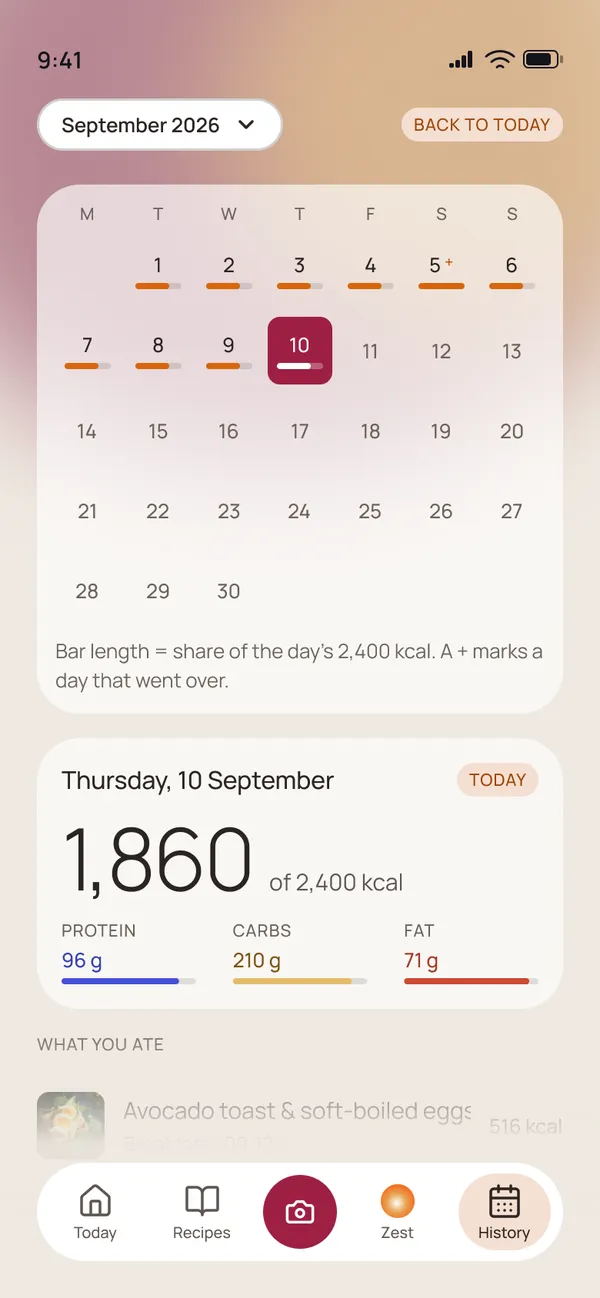
History works the same way. The calendar shows a bar for each day, its length the share of the 2,400 kcal, and a small “+” marks a day that went over. It records what happened and leaves the judgement out.
Beyond the happy path
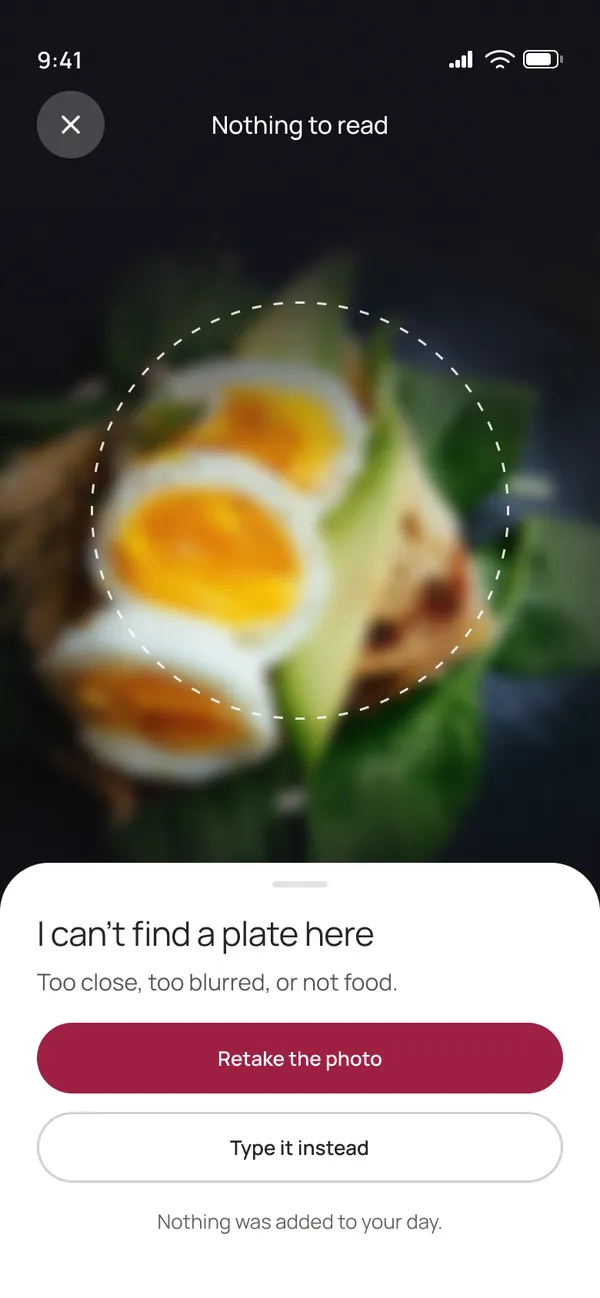
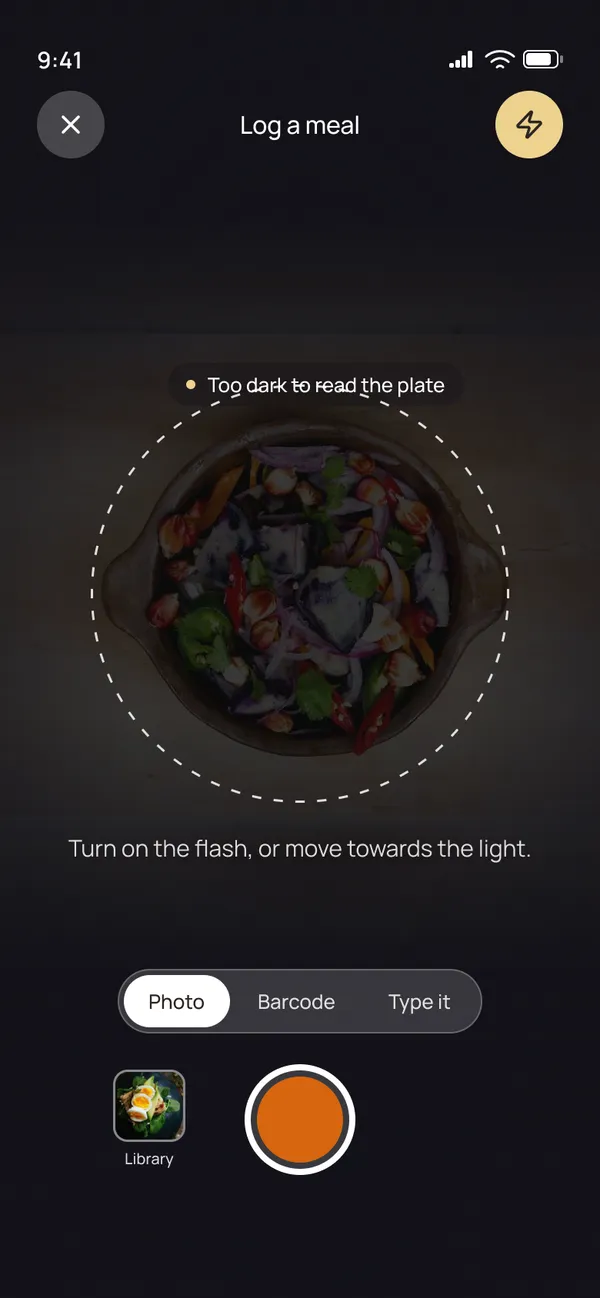
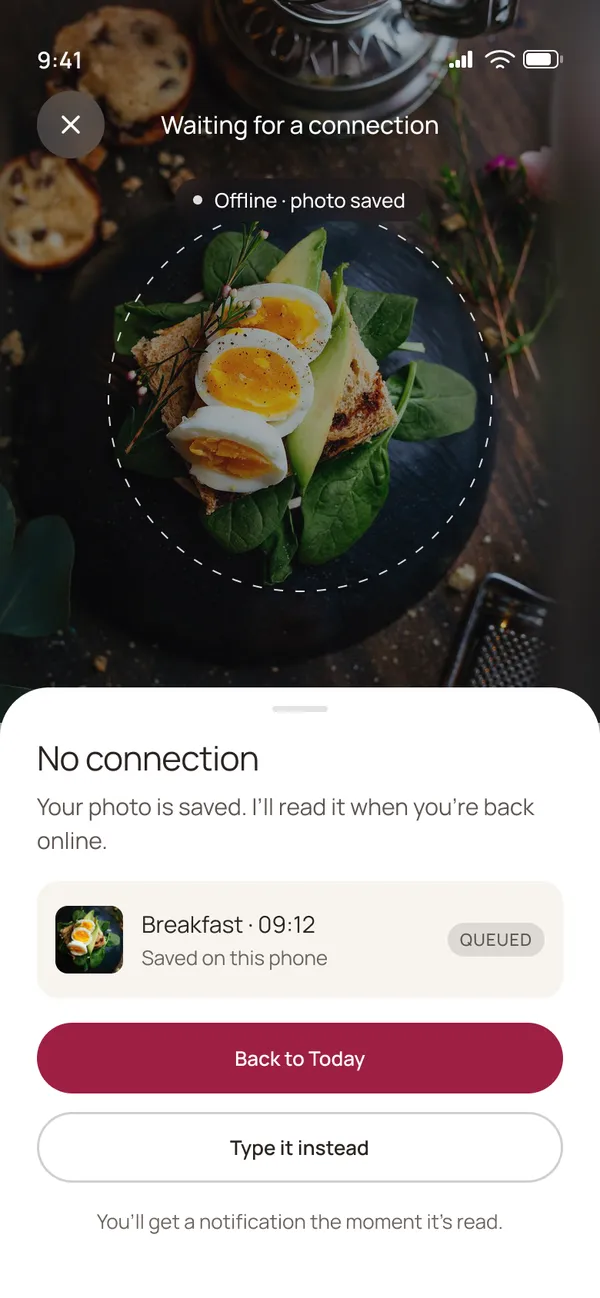
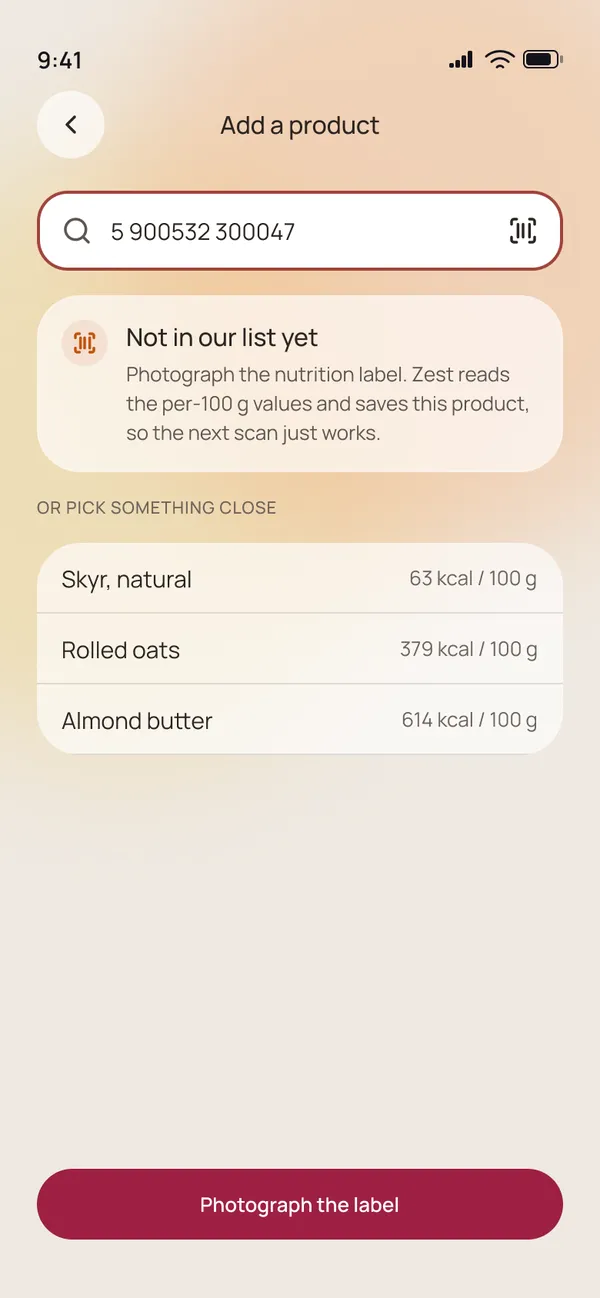
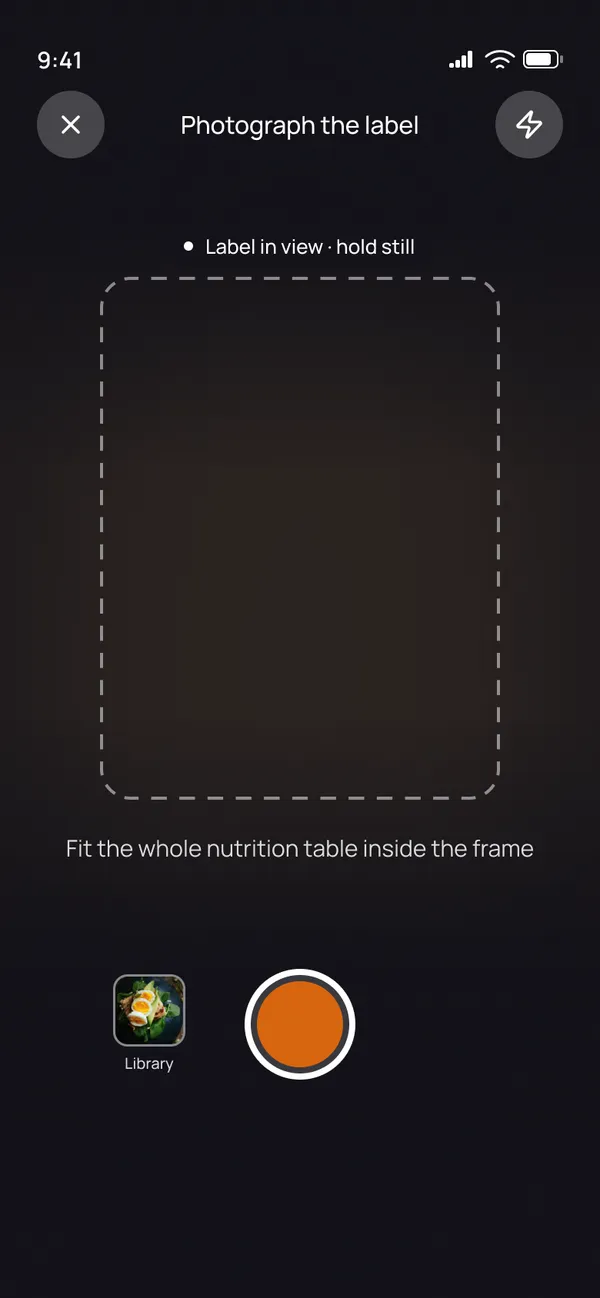
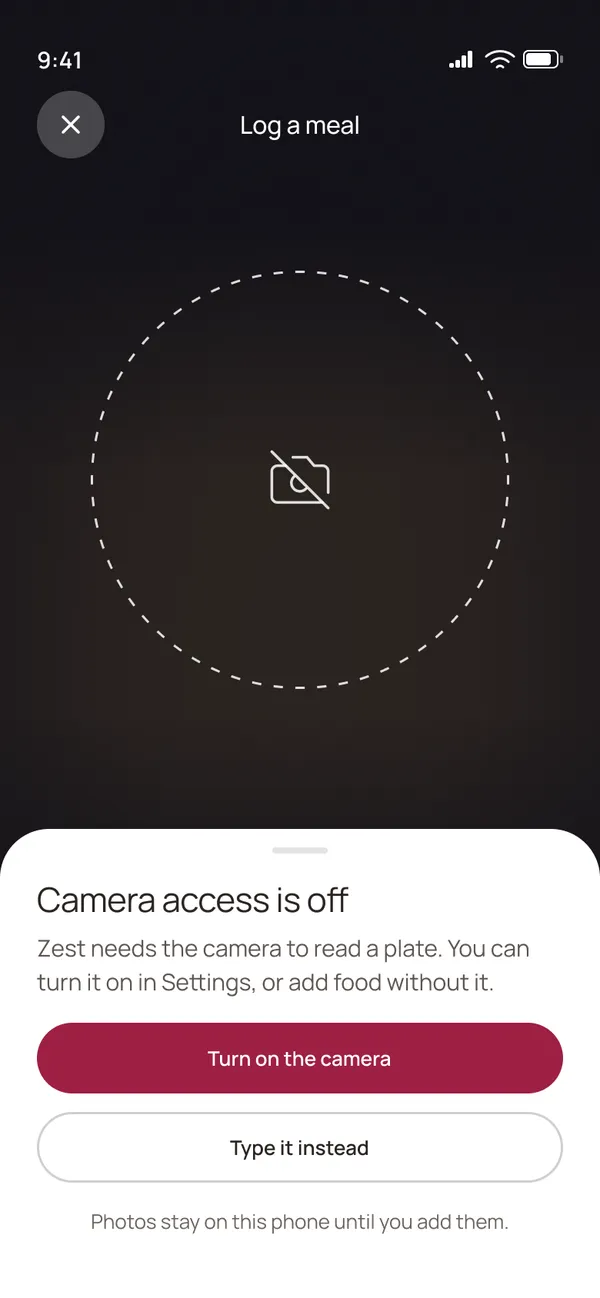
When the app is used in unexpected conditions, Zest keeps the same rules: fact first, no verdicts, one clear way forward.
Design system
Tokens, components, states
Every screen is built from components, and every colour, size, gap, radius, stroke, blur and type setting comes from a variable. Tokens live in three collections: Primitives hold the raw values and stay hidden; Zest · Natural gives them meaning (ground, bloom, ink, action, macro, surface, space, radius and so on); Typography holds family, weights, sizes, line heights and tracking.
Interactive components carry their states as variants: default, pressed and disabled, plus selected or loading where they exist. They are wired as interactive components, so the prototype presses and selects like the real thing.
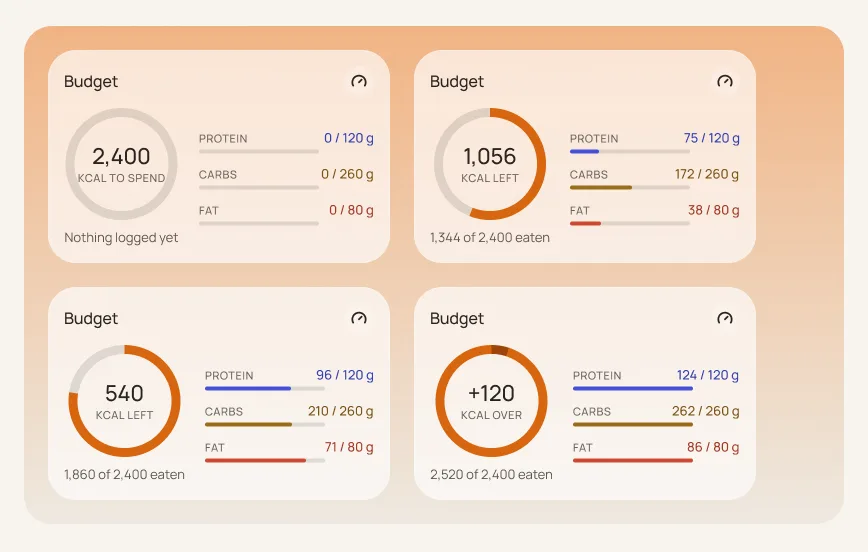
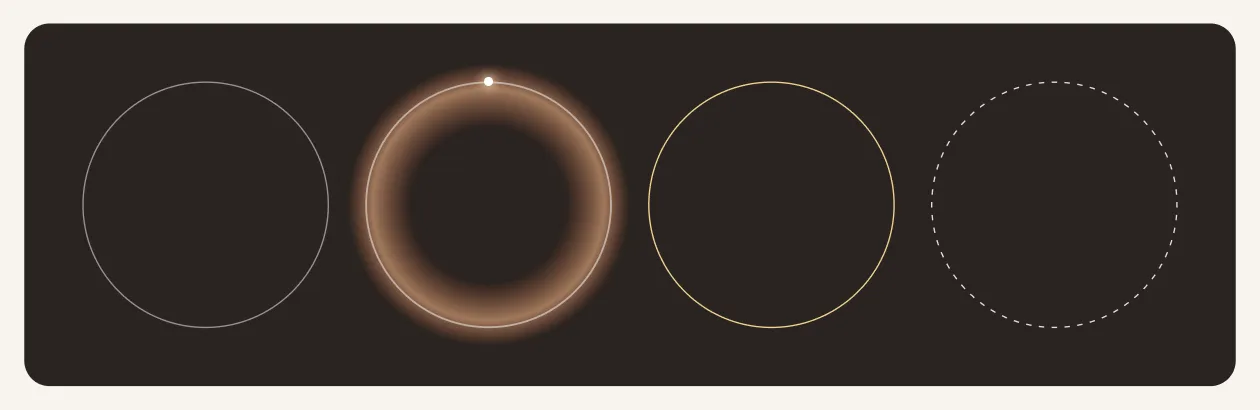
Some states carry the product rules. The budget card has four states, from an empty day to a day over plan, and “over” is shown as “+120 kcal over” in the same calm style. The camera lens has four states too: framing, reading, unsure and dim.
How it would be measured
Targets, not results
Zest has not launched, so there are no numbers to report. These are the measures the product would be judged on.
- North star
- Share of a person’s meals logged per active day, at week 4.
- Supporting
- Median time from opening the camera to a confirmed log. Corrections per logged meal, which should fall as Zest learns portions. Days still logged after an over-budget day. Recipe plans per week.
What I would check next
The design has not been tested with users yet. The first checks I would run go straight at the hypothesis:
- Is one photo really faster? Time people logging the same meals by photo and by manual search, and count how often they need to correct an estimate.
- Does dropping the verdict keep people logging? Show the over-plan day with and without the red “failed” framing, and ask whether they would log the next meal.
- Do “why it fits” lines change the choice? Ask people to pick a dinner from the ranked list with and without the reasons, and see whether they choose faster and stick with the choice.