
Commercial project · 2026
Global Print Nord
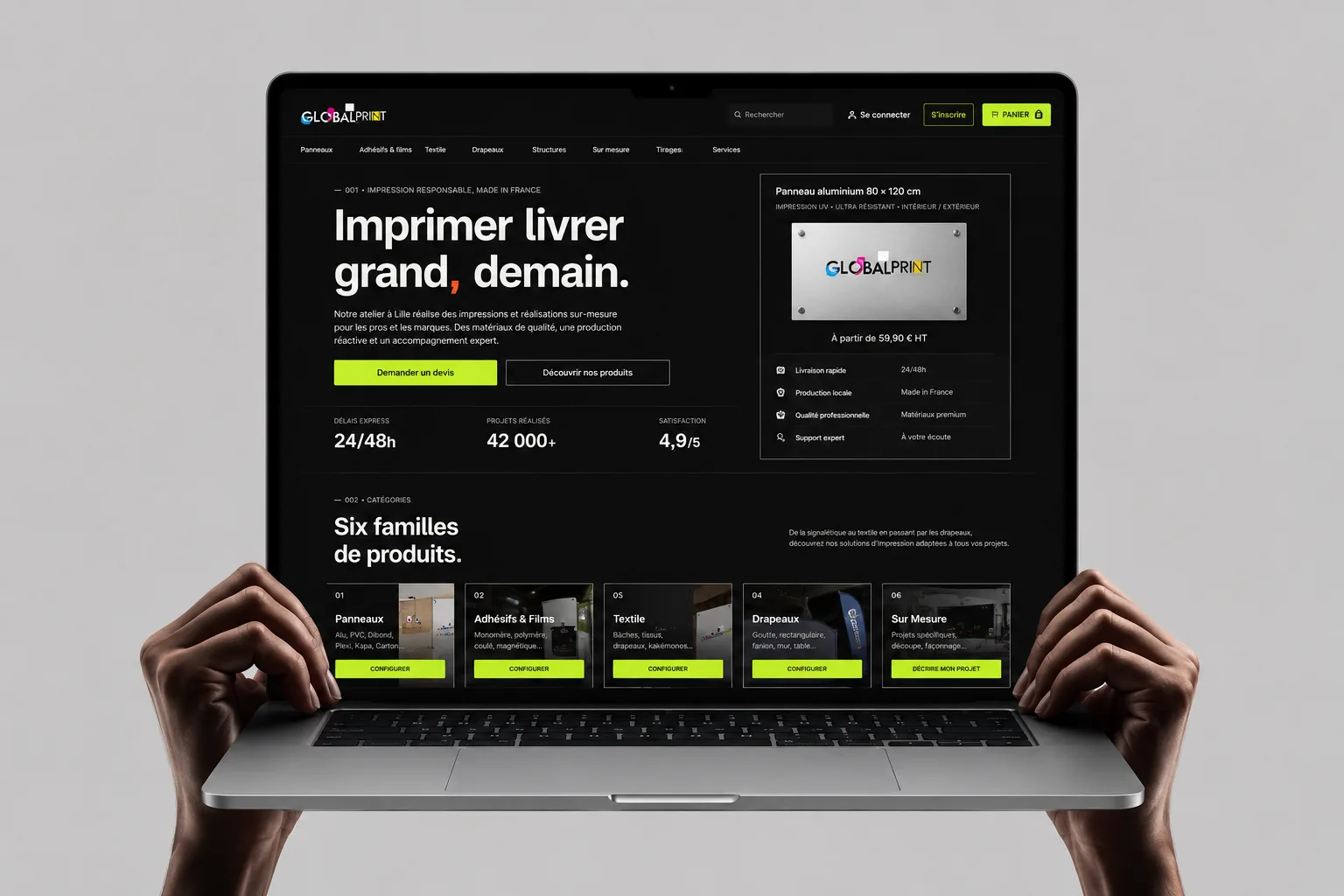
An online shop for a large-format print workshop: panels, adhesives, textile, flags and display structures. The aim: let a business buyer go from “I need a sign” to a priced, configured request without phoning the workshop first.
- Role
- UI/UX design and front-end built with AI
- Scope
- Catalogue, product configurator, live pricing, cart, quote request
- Built with
- Figma, Next.js, TypeScript, Prisma
- Status
- Publication in progress
The problem
Printed products are hard to sell online. One panel can come in several materials, thicknesses, formats, shapes, finishes and cutting methods, and the price moves with every one of them and with the quantity. In a print shop this is usually settled by phone or email, which is slow for the buyer and for the workshop.
The client wanted buyers to configure and price a product themselves, then send it to the workshop, which checks the file and confirms the final quote. This case follows one purchase through that flow: choose a product, configure it, hand over the artwork, review the order and send the request.
- Who the buyer is (from the client brief and the site copy, not from research)
- Businesses, local authorities and event organisers ordering signage, flags and display material. The site speaks to professional accounts with a SIRET number and payment at 30 days. I did not interview buyers, so their level of expertise is an assumption: some know exactly which substrate they want, others only know where the sign will hang.
- What they need first
- Find the right product family, see what can be changed, see the price change as they change it, and know what happens after they press the button.
A catalogue grouped by product family
Choose a product
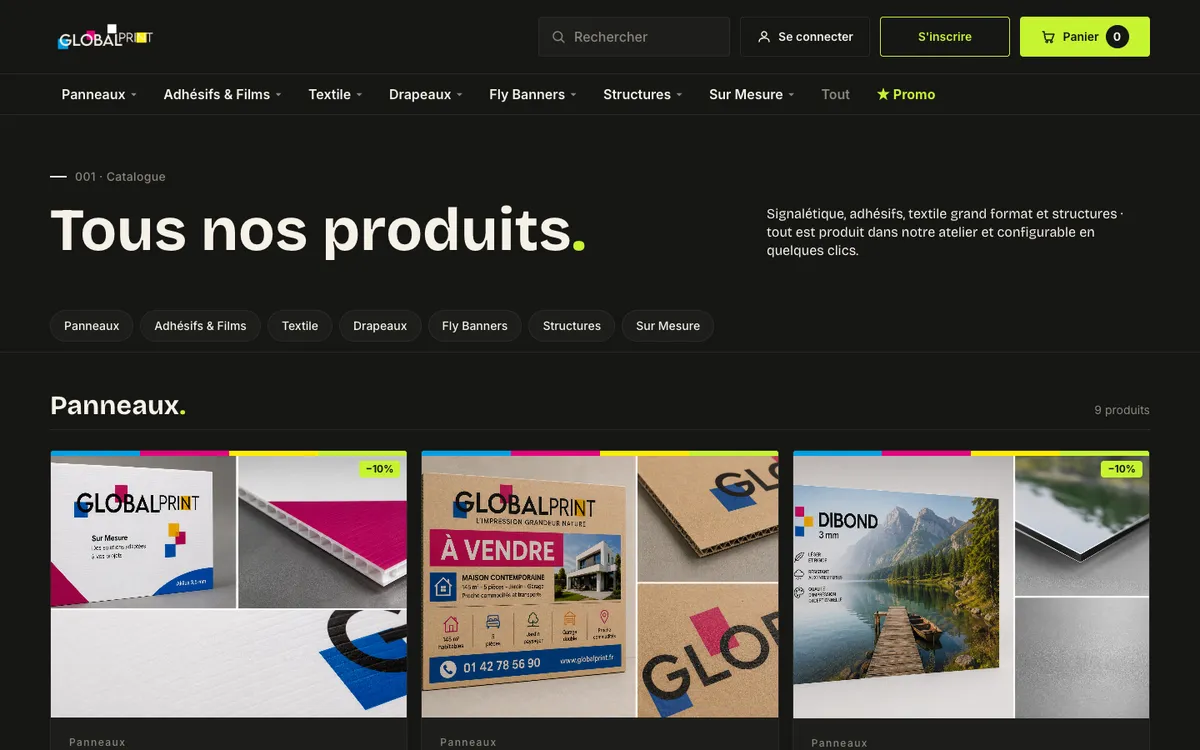
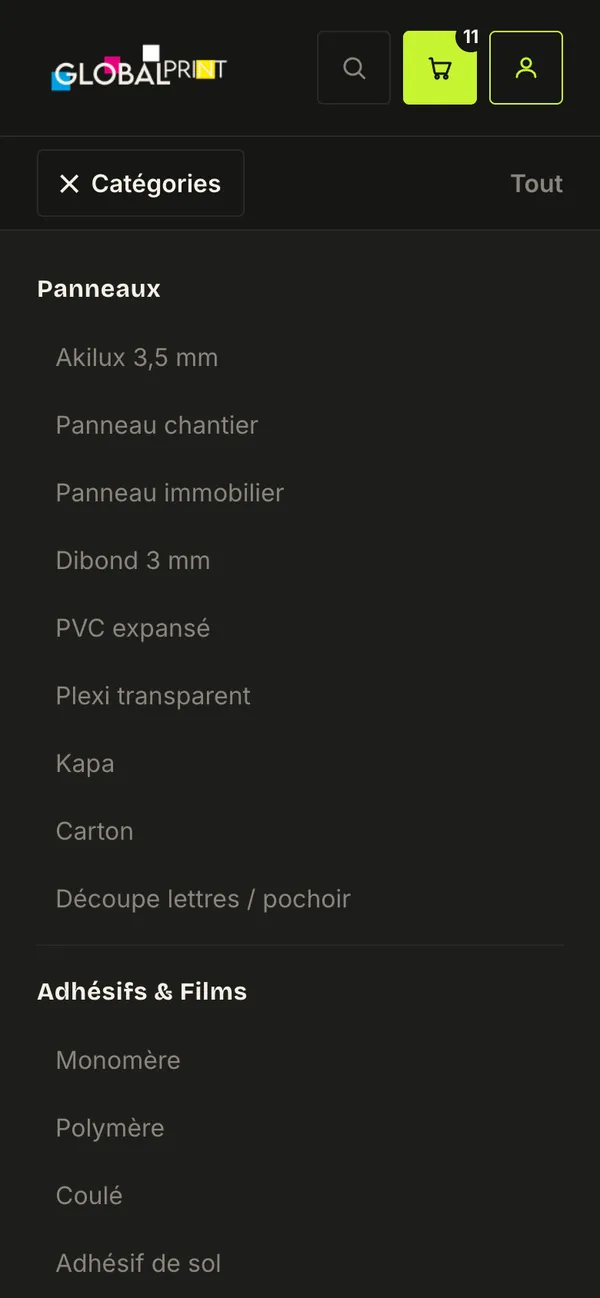
The catalogue lists 53 products in seven families: Panneaux, Adhésifs & Films, Textile, Drapeaux, Fly Banners, Structures and Sur Mesure. The families follow product type and substrate, because that is how the workshop produces and prices them, and how a buyer usually starts: “a rigid panel”, “a flag”, “something for a window”.
The content came from two sources: the client’s Figma file first, and the catalogue of Adivin, the B2B flag distributor the shop works with, second. The rule was not to invent products or options that neither source had. Fly Banners became a family of its own at the client’s request.
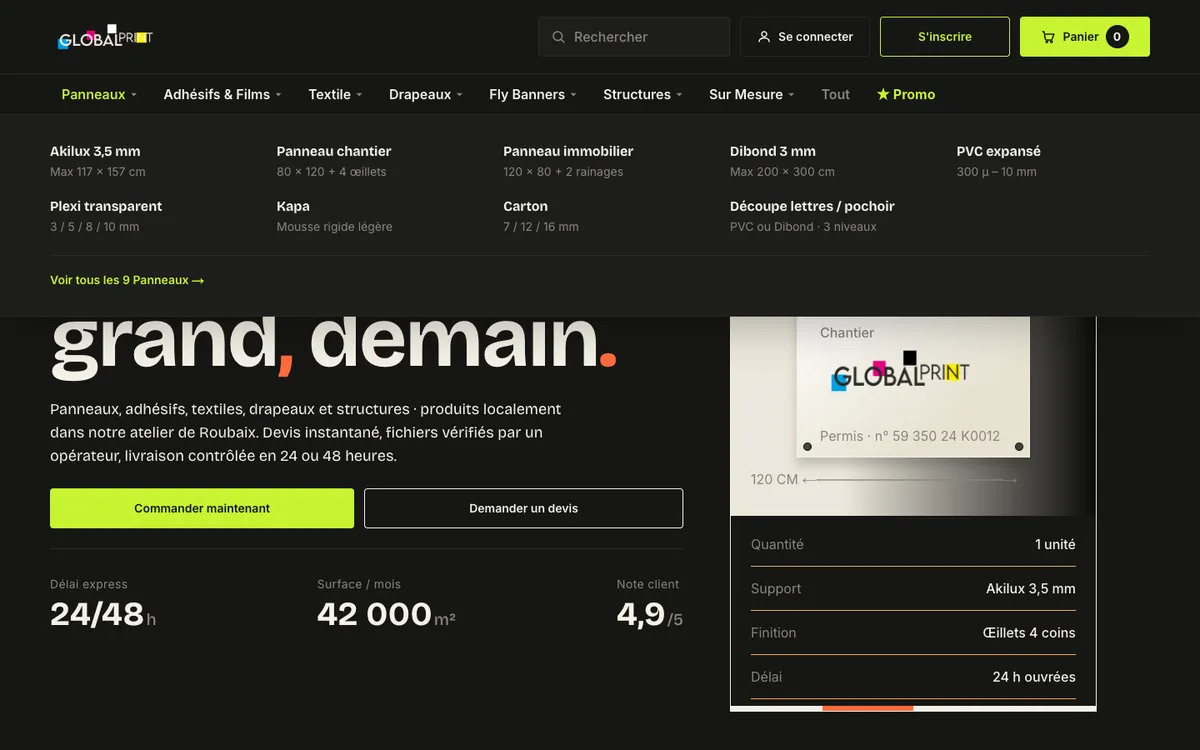
The first version showed every product in one alphabetical scroll. After the client review round in June 2026, I changed it to sections by family, with chips at the top to jump to each one, and merged products that appeared twice. The same families open as a mega menu on desktop, with a short spec under each product name.

Configure, and see the price move
Product page
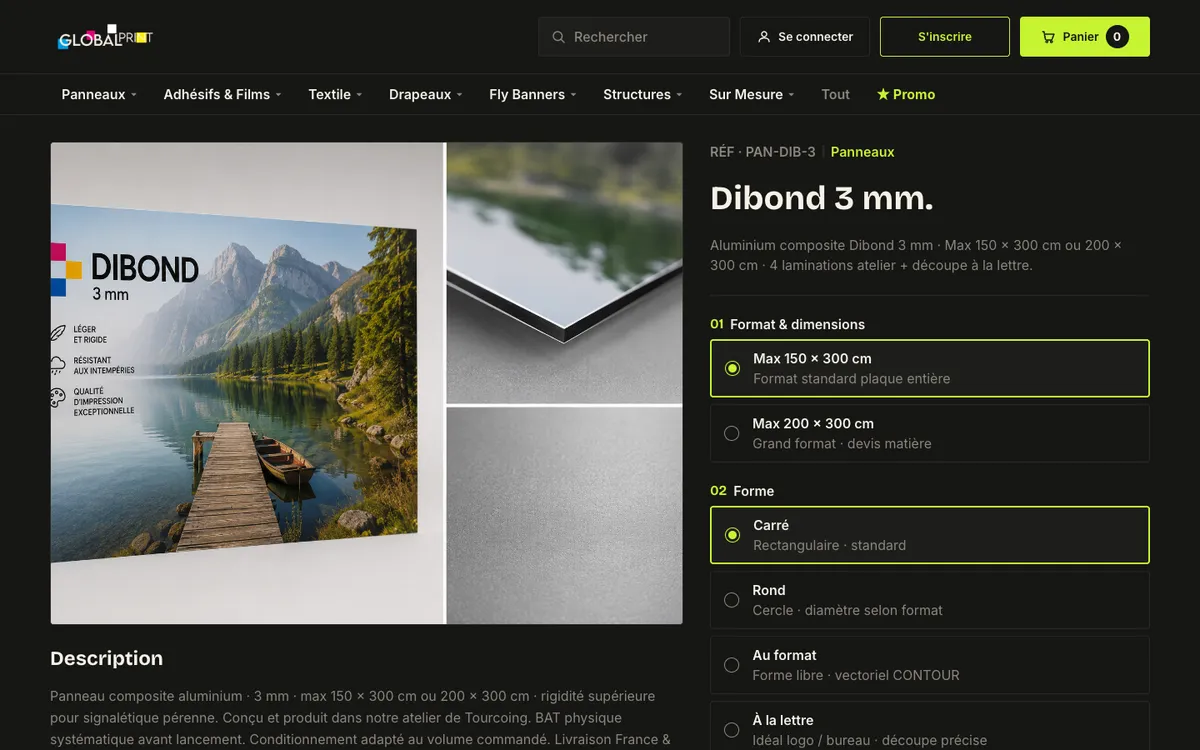
The scenario continues with a Dibond 3 mm panel. The product page keeps photos and the description on the left and the configuration on the right, in the order the workshop needs it: format, shape, finish, lead time, quantity. Each option carries a one-line explanation, such as “Surface anti-reflet” for a matt lamination, so the buyer does not need to know the trade terms in advance.
Option groups differ by product: format or roll width, shape, finishes, thickness, lamination, fabric weight, single or double sided, white underlay, cutting, lead time. Width, height and a 500-character comment field let the buyer describe anything unusual.
How the parameters link to the price
- Each option can multiply the base price or add a fixed amount per unit.
- Quantity breaks lower the unit price: on some products 10, 50 and 100 units cost 22%, 42% and 54% less per unit.
- Lead time is a priced choice: “24/48 h · EXPRESS” costs 35% more than “5–7 jours · STANDARD”.
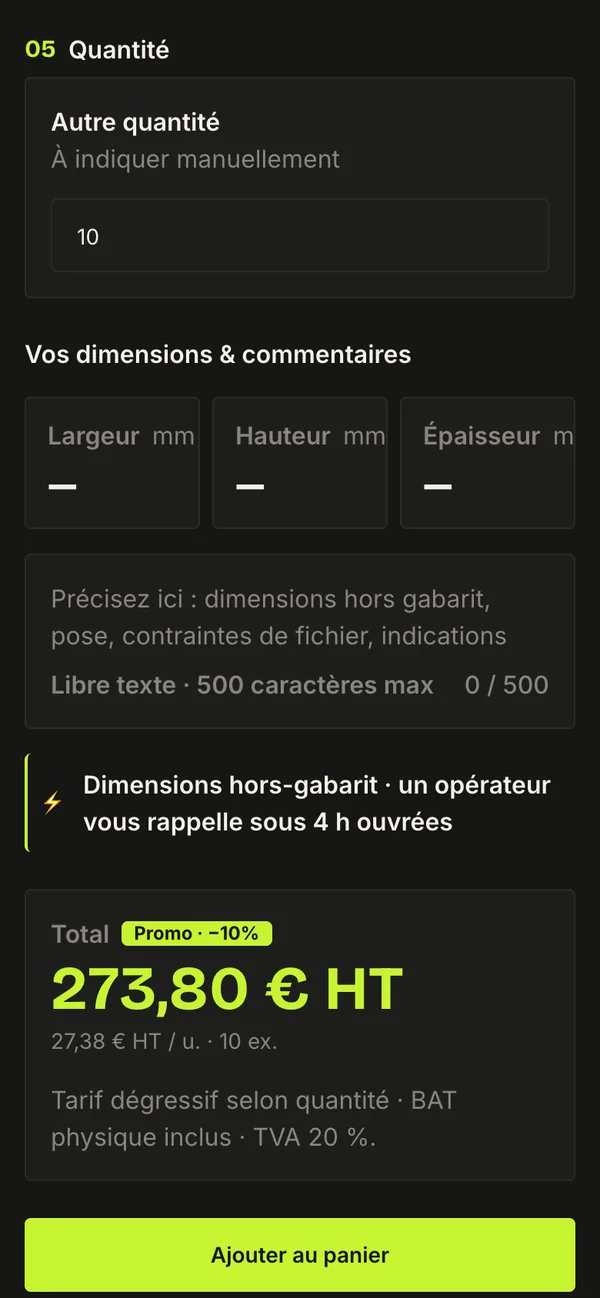
- The product page shows the total and the unit price before VAT, with the promo badge when one applies. The cart adds the total with 20% VAT.
- The price is calculated on the server, not in the browser, and calculated again when the request is sent, so the price stored in the browser is never the one that counts.
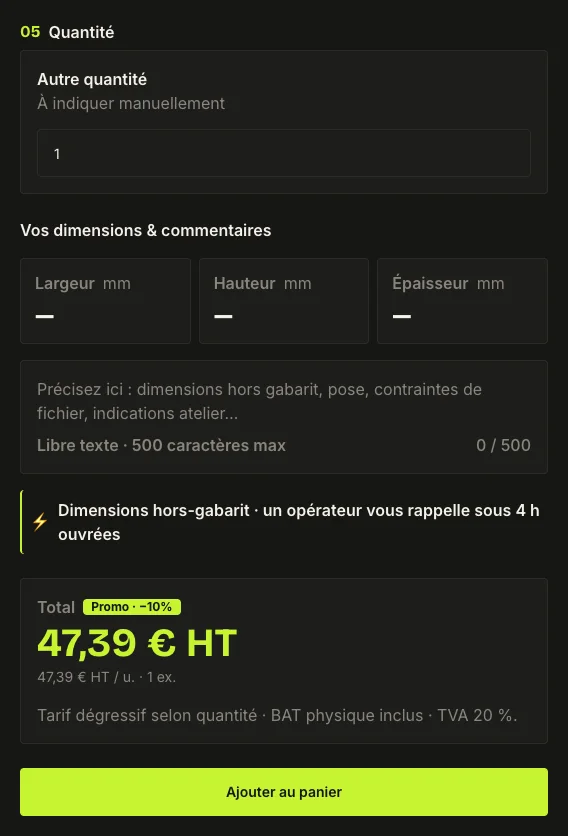
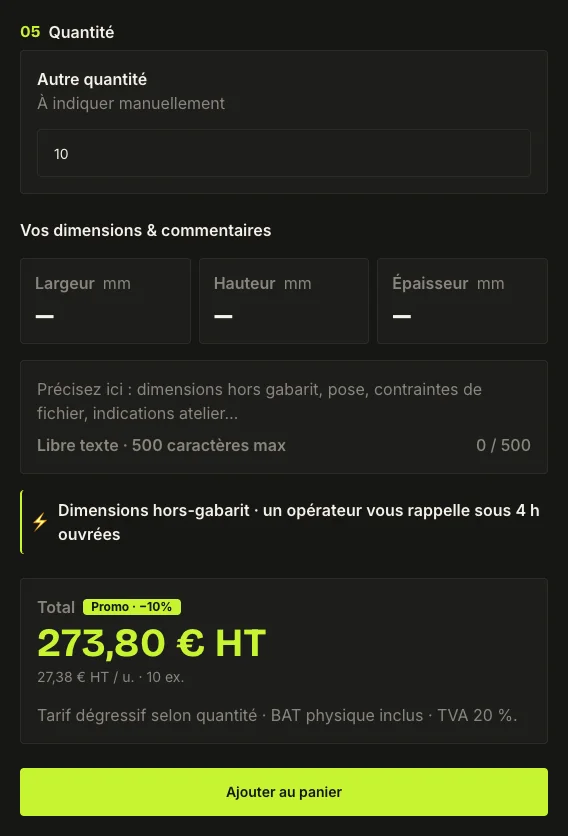
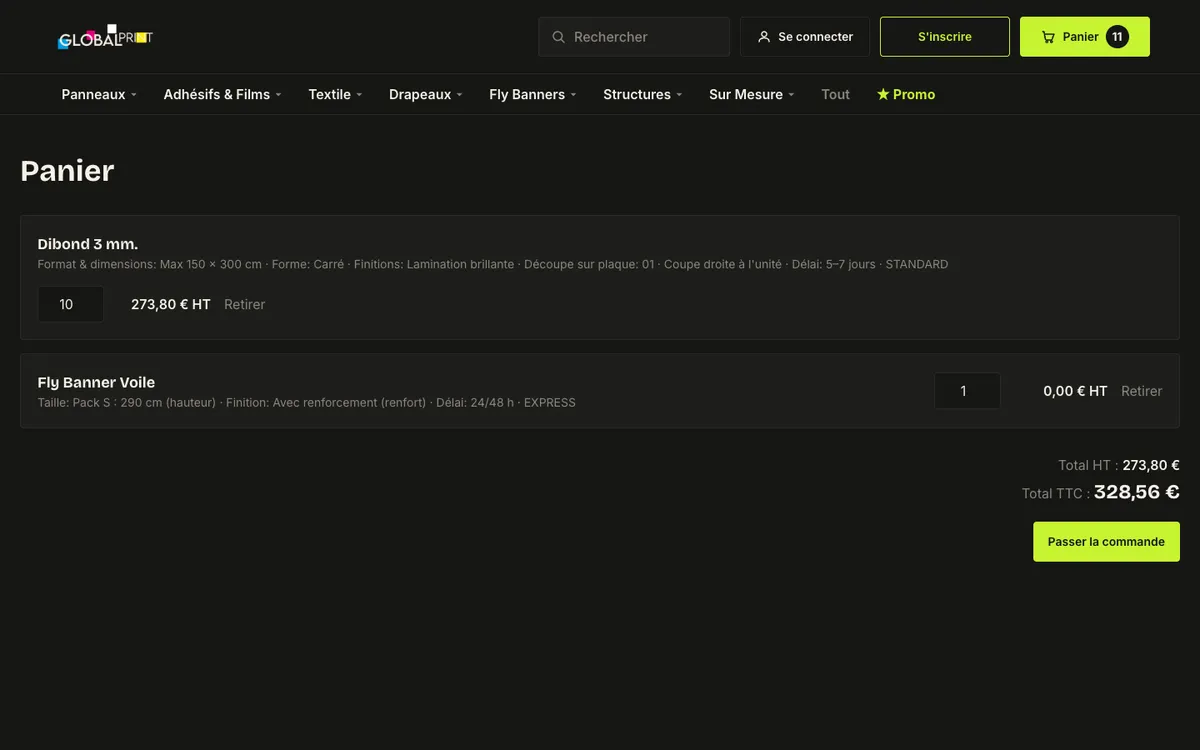
In the example, one panel with express delivery and a matt finish comes to 47,39 € HT. Ten panels with a gloss finish and standard delivery come to 273,80 € HT, or 27,38 € per panel.
Beyond the happy path
Invalid size and price on request
A size the workshop cannot print
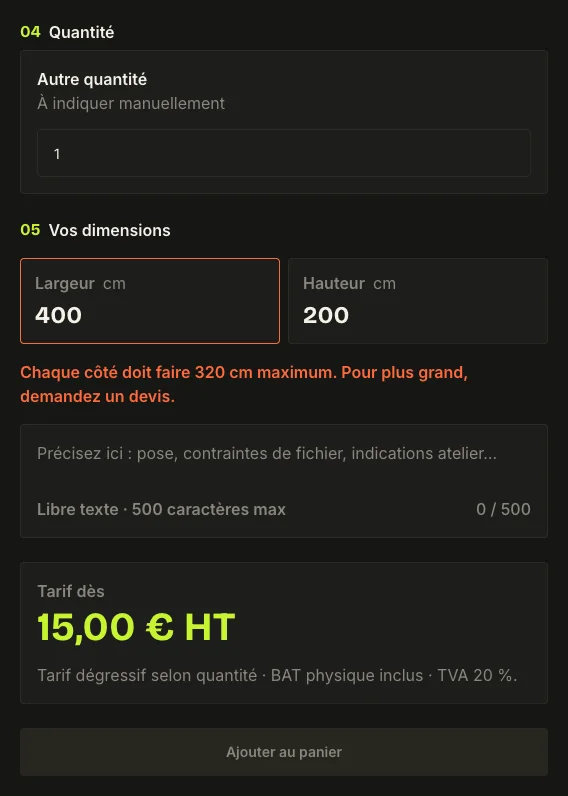
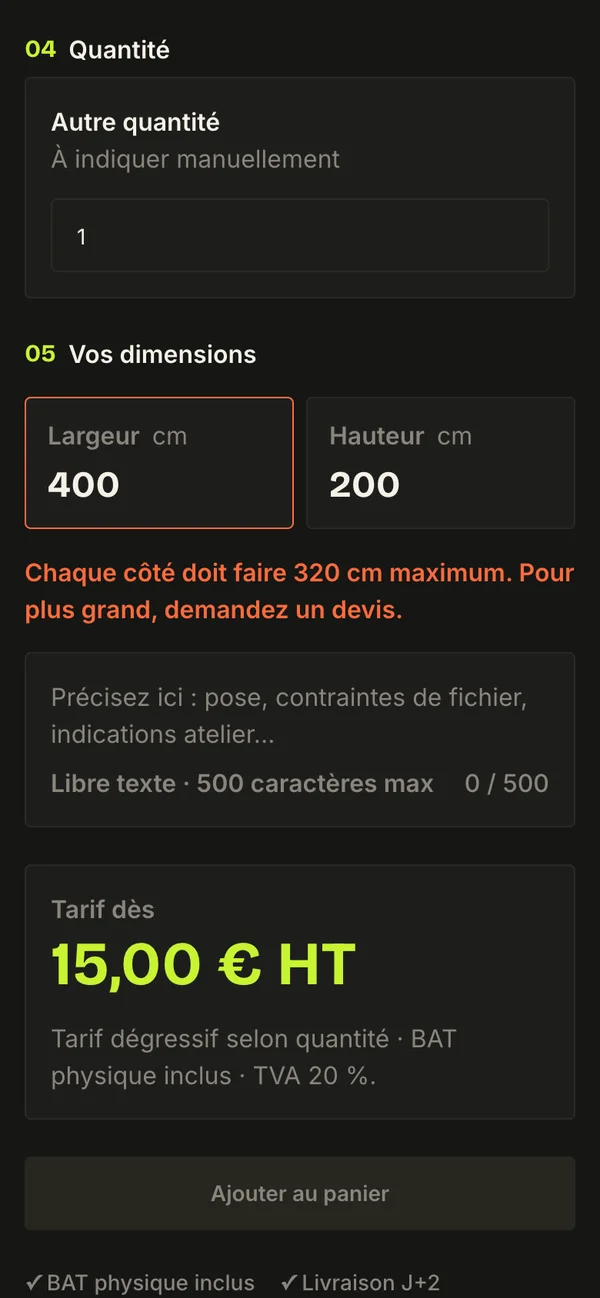
One product, the wall flag, is priced by the square metre (15 € HT per m², one square metre minimum) and has a hard limit of 320 cm per side. If the buyer types a width of 400 cm, the field turns red, a message right under it explains the limit and what to do instead: “Chaque côté doit faire 320 cm maximum. Pour plus grand, demandez un devis.” The add-to-cart button stays disabled until the size is valid.
This is the only product with a checked size so far. On the others, size limits are written in the description, and there are no rules yet that block incompatible option combinations.
When a standard order is not possible
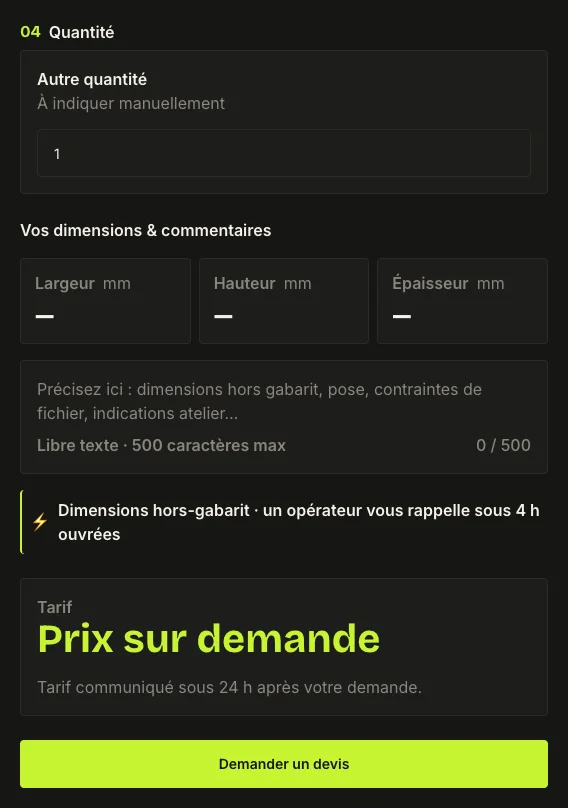
Some products cannot be priced from a list: all the products from the flag distributor and the Fly Banners. For them, the price block says “Prix sur demande”, the main button becomes “Demander un devis”, and the text promises a price within 24 hours. The product still goes into the same cart with its configuration, so a buyer can mix priced and unpriced items in one request.
Artwork handover
Drop zone
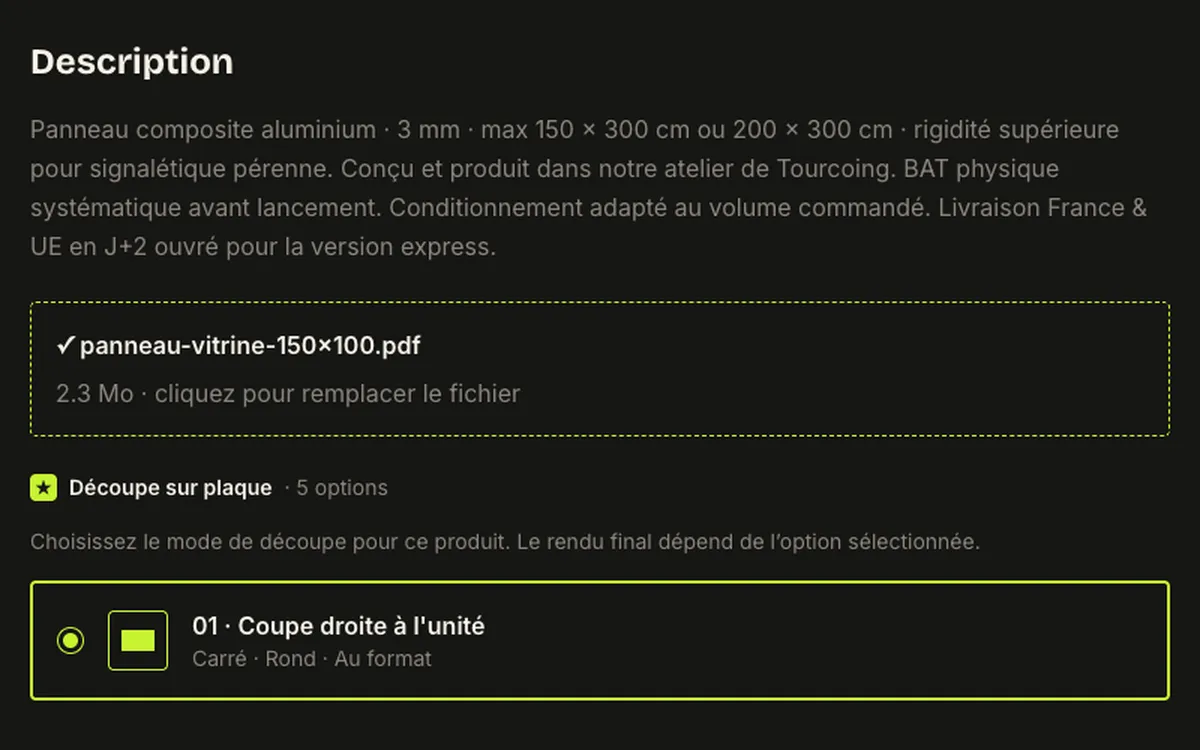
Print buyers need to send a file, so the product page has a drop zone for PDF, AI and EPS files with the expected format next to it: high-definition PDF, CMYK, 3 mm bleed. Once a file is chosen, the zone shows its name and size and offers to replace it.
Before printing, the workshop sends a proof (BAT), and that is the step where the file is checked together with the client.
Review the order, then request a quote
Cart, checkout, confirmation
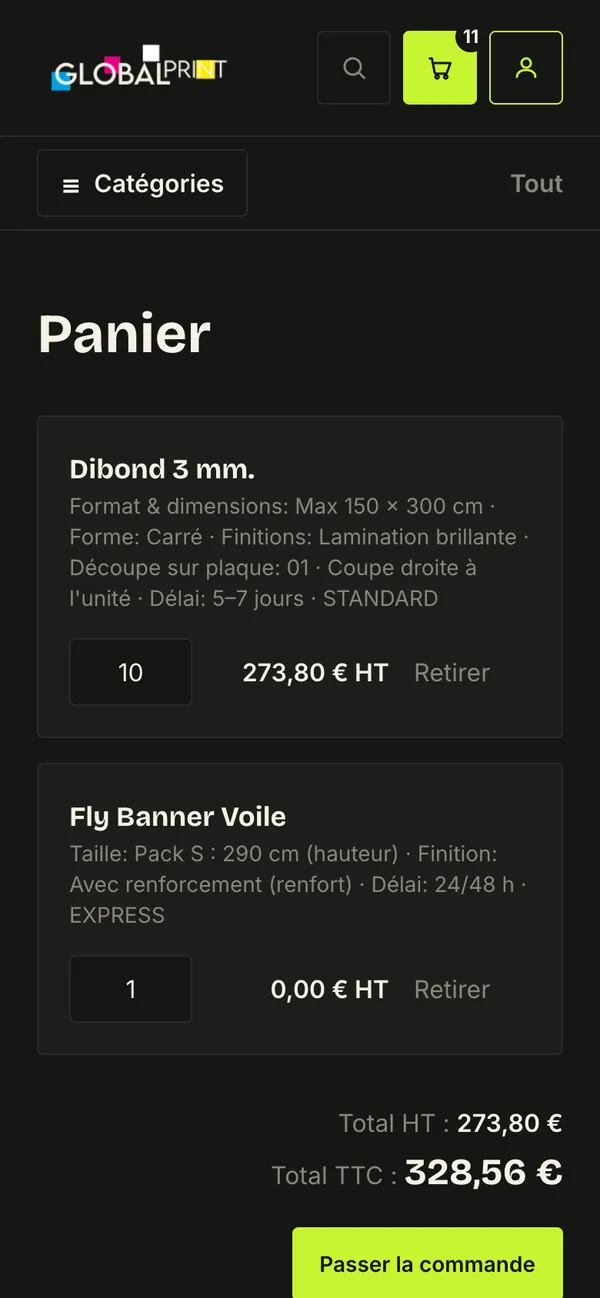
The cart lists each product with its full configuration in one line, so the buyer can check what they chose without opening the product again. Quantities can be changed and lines removed. Totals are shown before and after VAT.
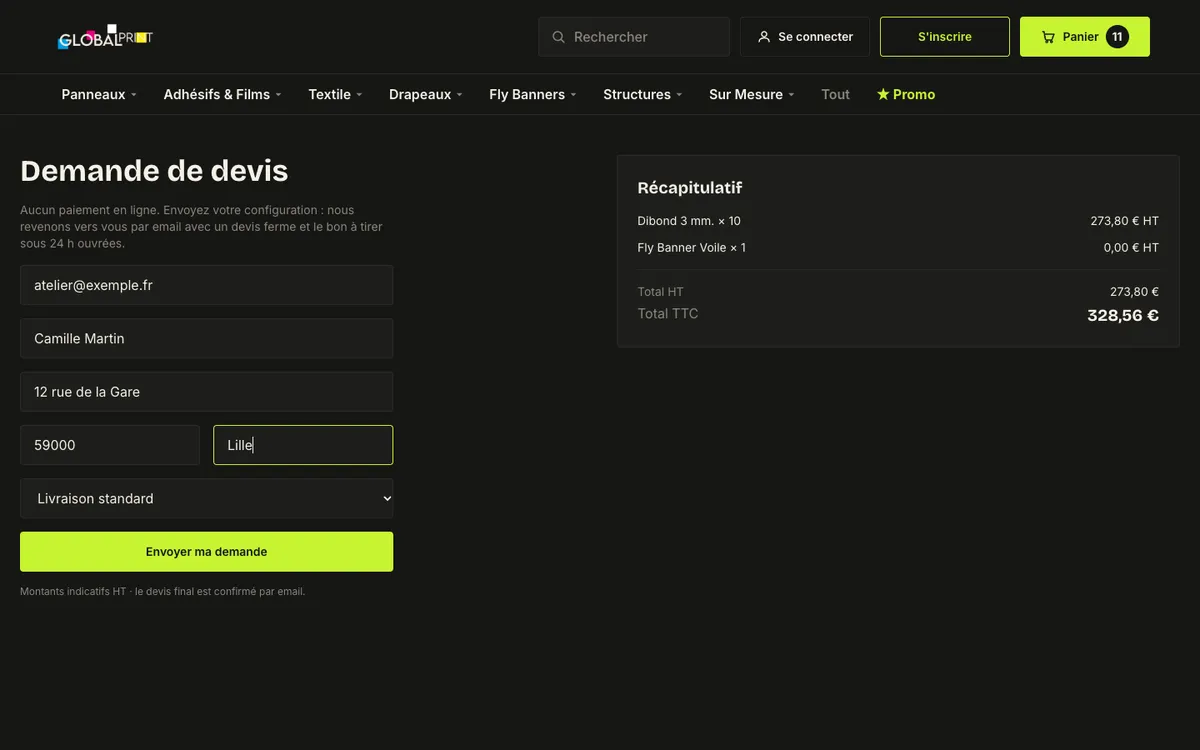
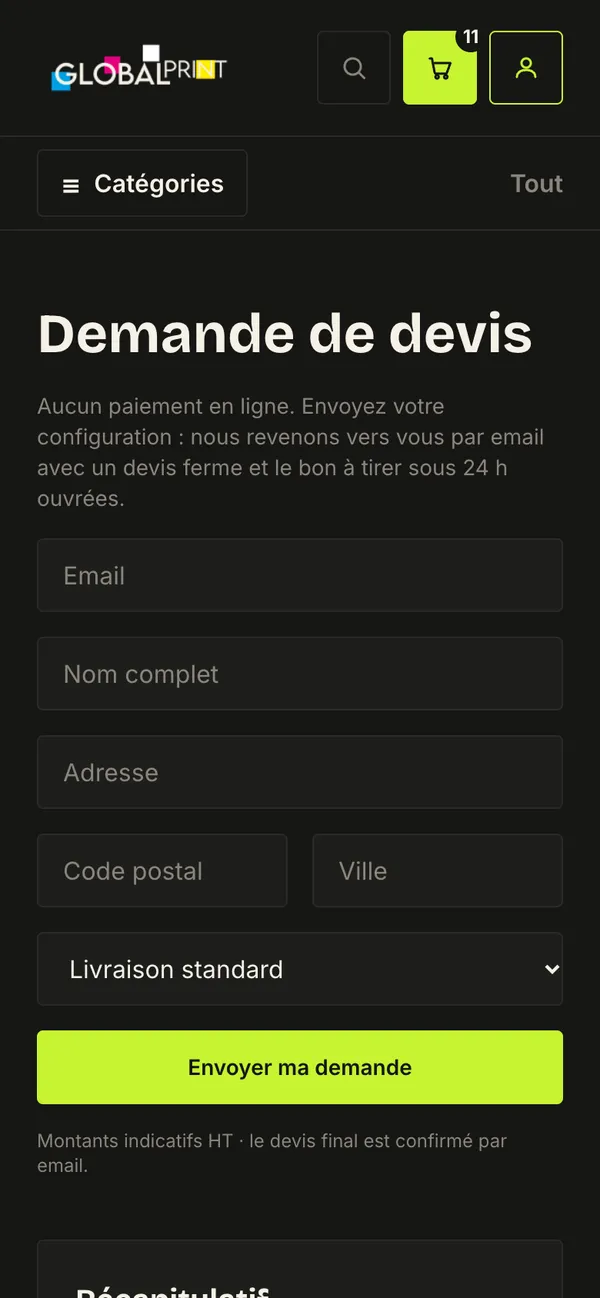
Checkout is a quote request, not a payment. That was the client’s decision: every job is checked by an operator before printing, so the final price is confirmed by email. The page says so in its first line: “Aucun paiement en ligne… devis ferme et le bon à tirer sous 24 h ouvrées”. The form asks for email, name, address and delivery type, with the summary of lines and totals next to it.
After sending, the confirmation page shows a reference such as GPN-0001, the lines of the request, and the next step: a firm quote and the proof within 24 working hours.
The same purchase on a phone
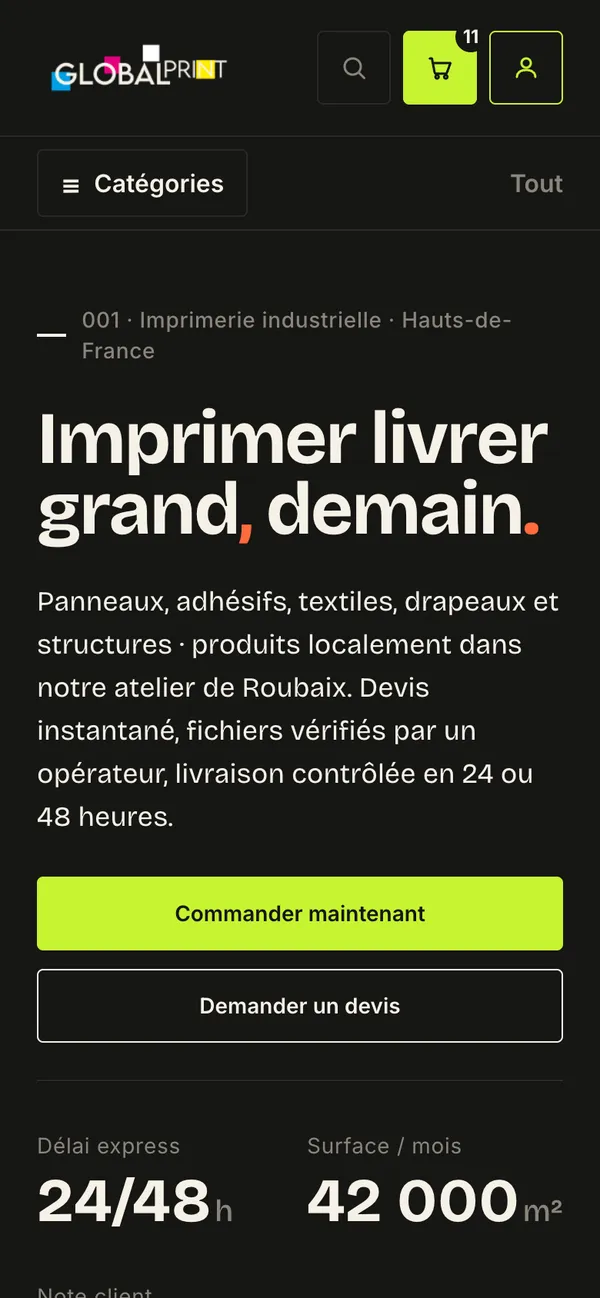
Below desktop width the product page becomes one column and the mega menu becomes a “Catégories” list that opens on tap. The configuration, the size error, the cart and the quote request keep the same order and wording.
What works
- Catalogue of seven families, search and mega menu
- Product configurator with server-side pricing, quantity breaks and promos
- Size check with error message on the per-m² flag
- Cart saved in the browser, quote request saved to the database with a reference
- Responsive layouts from desktop to phone
Constraints that shaped the design
- Every print job is checked by an operator, so checkout became a quote request instead of a payment.
- Products and options could only come from the client’s Figma file and the distributor catalogue, which is why many flags and Fly Banners are priced on request.
- The front-end was built with AI assistance, so the pricing logic sits on the server and is covered by 25 unit tests for pricing, cart and formatting.
What was checked and changed
The design has not been tested with buyers. What it went through is a client review round in June 2026 and my own review of the build. Changes that came out of it:
- The catalogue moved from one alphabetical list to sections by family, and duplicate products were merged.
- The wall flag got per-square-metre pricing with its size limit.
- Promotions and a /promo page were added, with a reassurance line on the homepage.
- Earlier fixes: the mobile menu now opens on tap, tap targets are at least 44 px, and the add-to-cart button is no longer disabled when the page loads.
What I would check next
First, with five or six real buyers: whether they find the right family from the catalogue without search, which options they do not understand without help (materials and finishes are the likely ones, since there is no comparison guide yet), and whether they notice that “Envoyer ma demande” sends a request and not an order. Then I would replace the mock drop zone with a real upload and file check, and fix the 0 € line for price-on-request items.
Like this project?
Let’s design something buyers can order without a phone call.