
Commercial project · 2026
Chabada
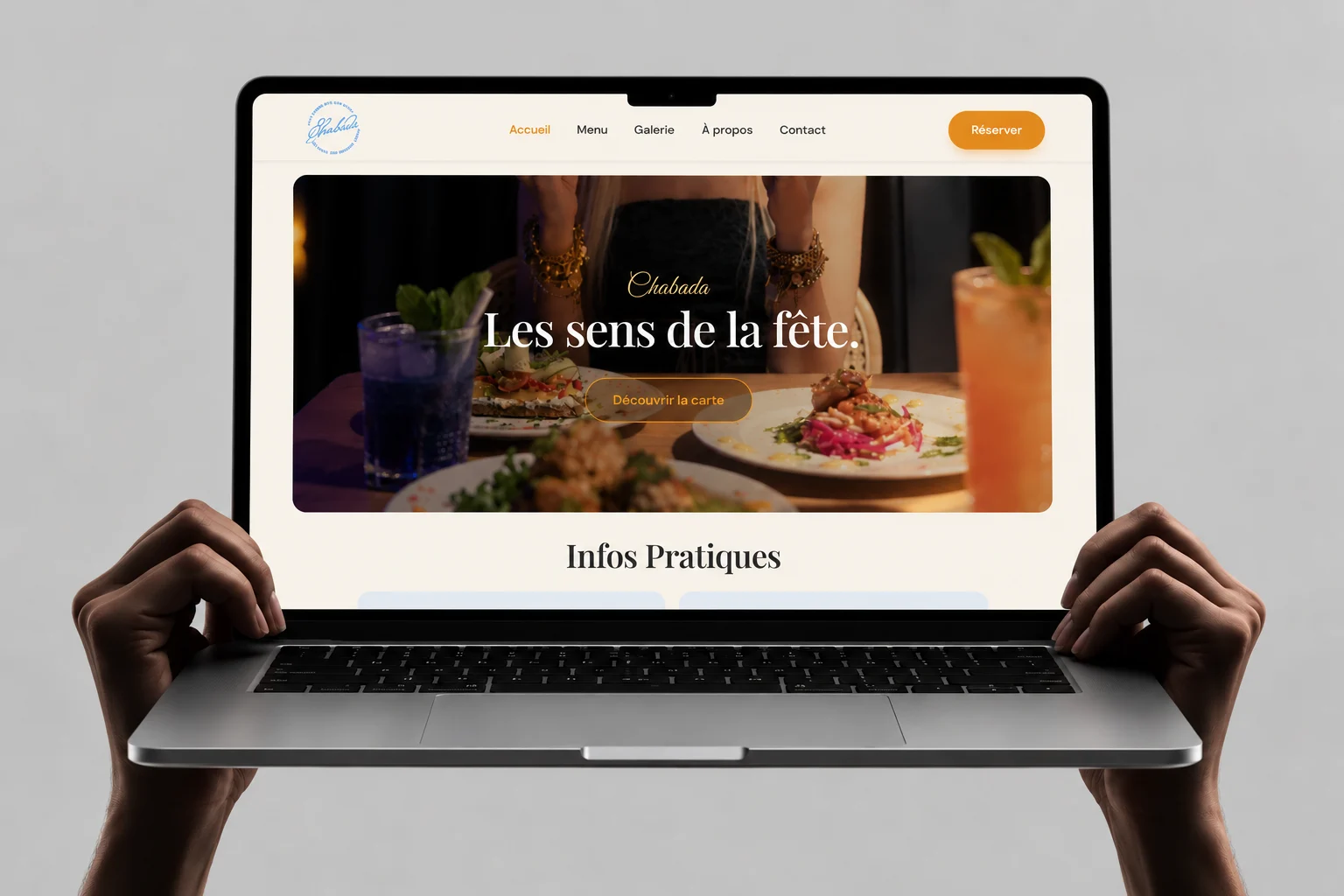
A website for a bar and restaurant in Vieux-Lille. The aim: show the mood in the first second, then get guests to the menu, the opening hours and a table without hunting for them.
- Role
- UI/UX design and front-end
- Pages
- Home, menu, gallery, reviews, contact, waitlist
- Built with
- Figma, HTML/CSS built with AI (Claude)
- Status
- Publication in progress
The problem
Restaurant sites often lead with decoration and hide the three things guests actually come for: is it open, what is on the menu, how do I get a table.
Chabada had strong photography of the food, the bar and the vaulted room, but the restaurant was not taking online bookings yet. So the site had to sell the evening, answer practical questions quickly, and still capture people who wanted to book.
- Who it is for
- Guests choosing a place for tonight or the weekend, often on a phone and comparing a few venues at once.
- What they need first
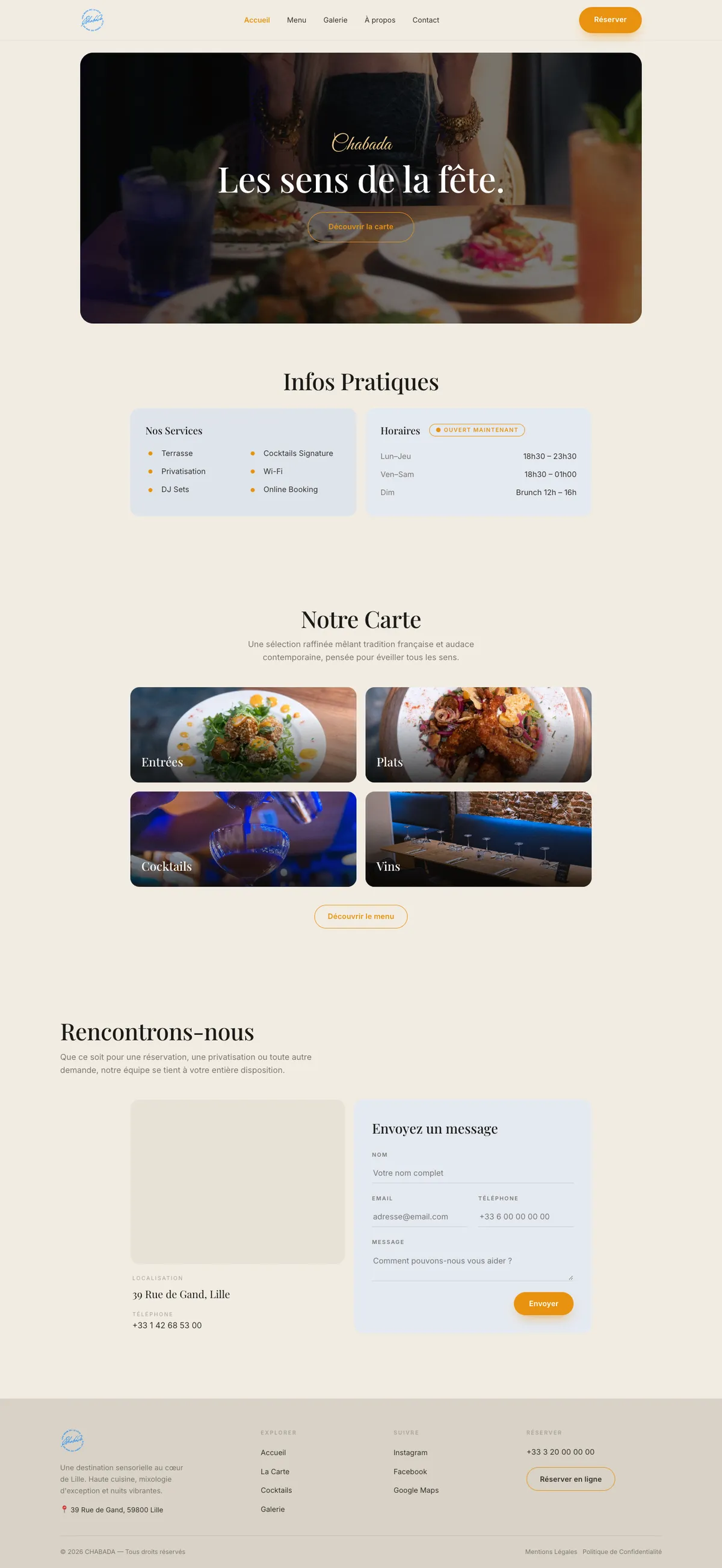
- Opening hours and whether it is open now, the address, a look at the menu and prices, then a way to book.
Practical info right after the mood
Homepage
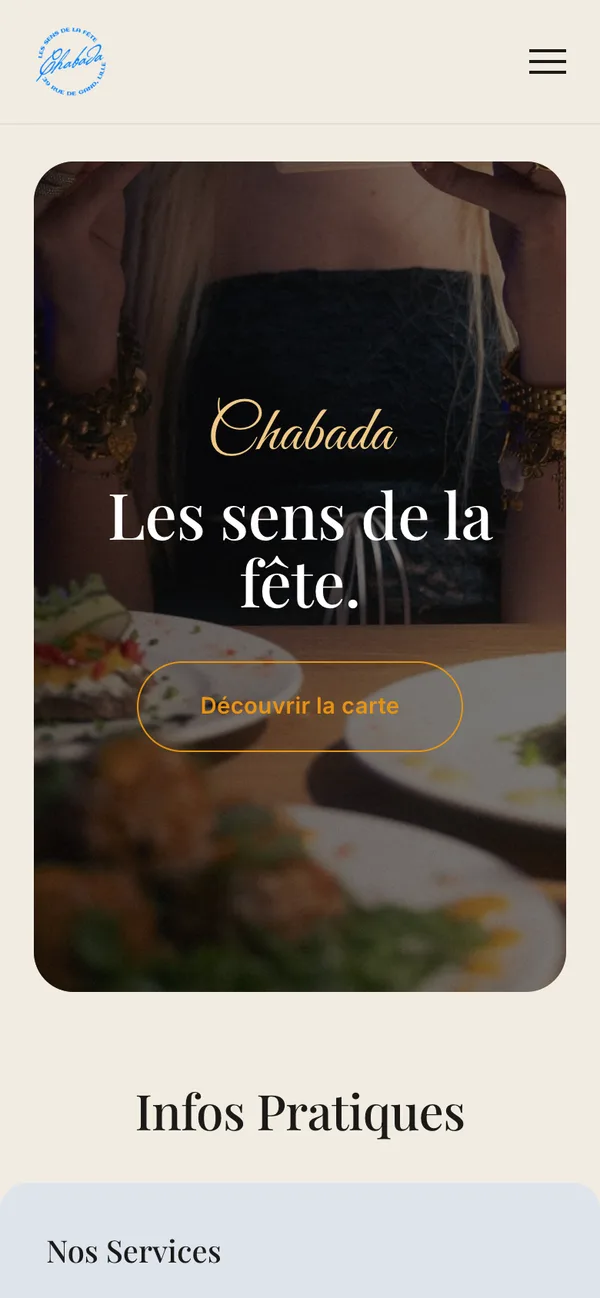
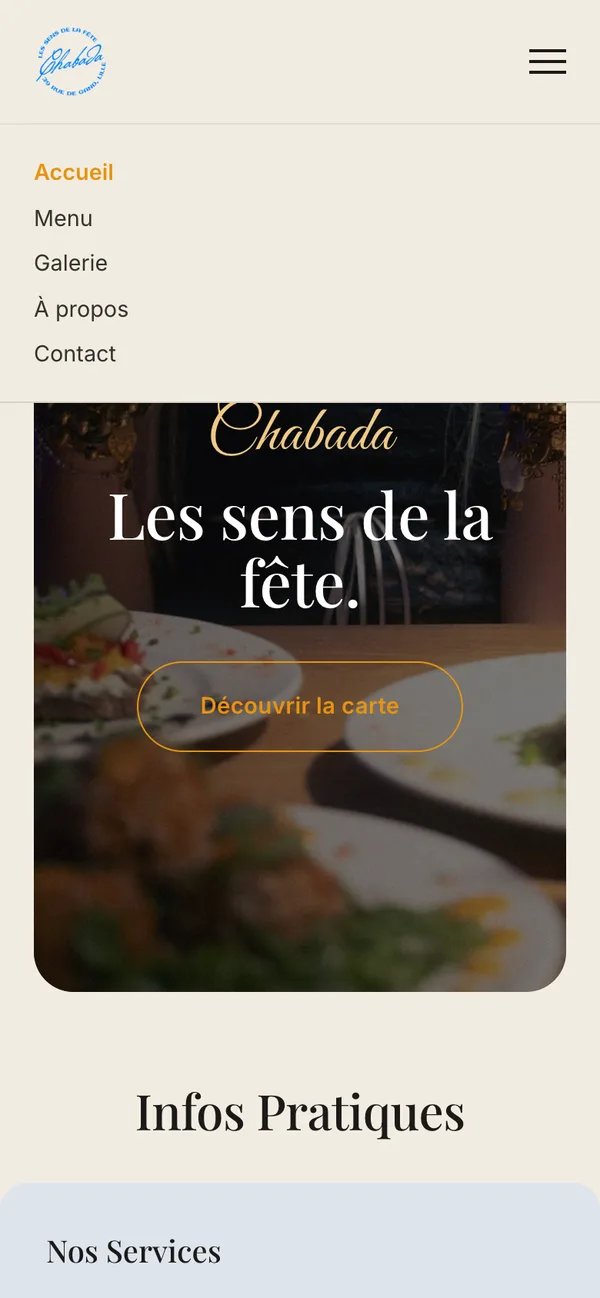
The hero sets the atmosphere with one line, “Les sens de la fête”, and a single action to the menu. Directly below it sits Infos Pratiques: services, opening hours and an “open now” badge. A guest checking hours does not need to scroll past galleries to find them.
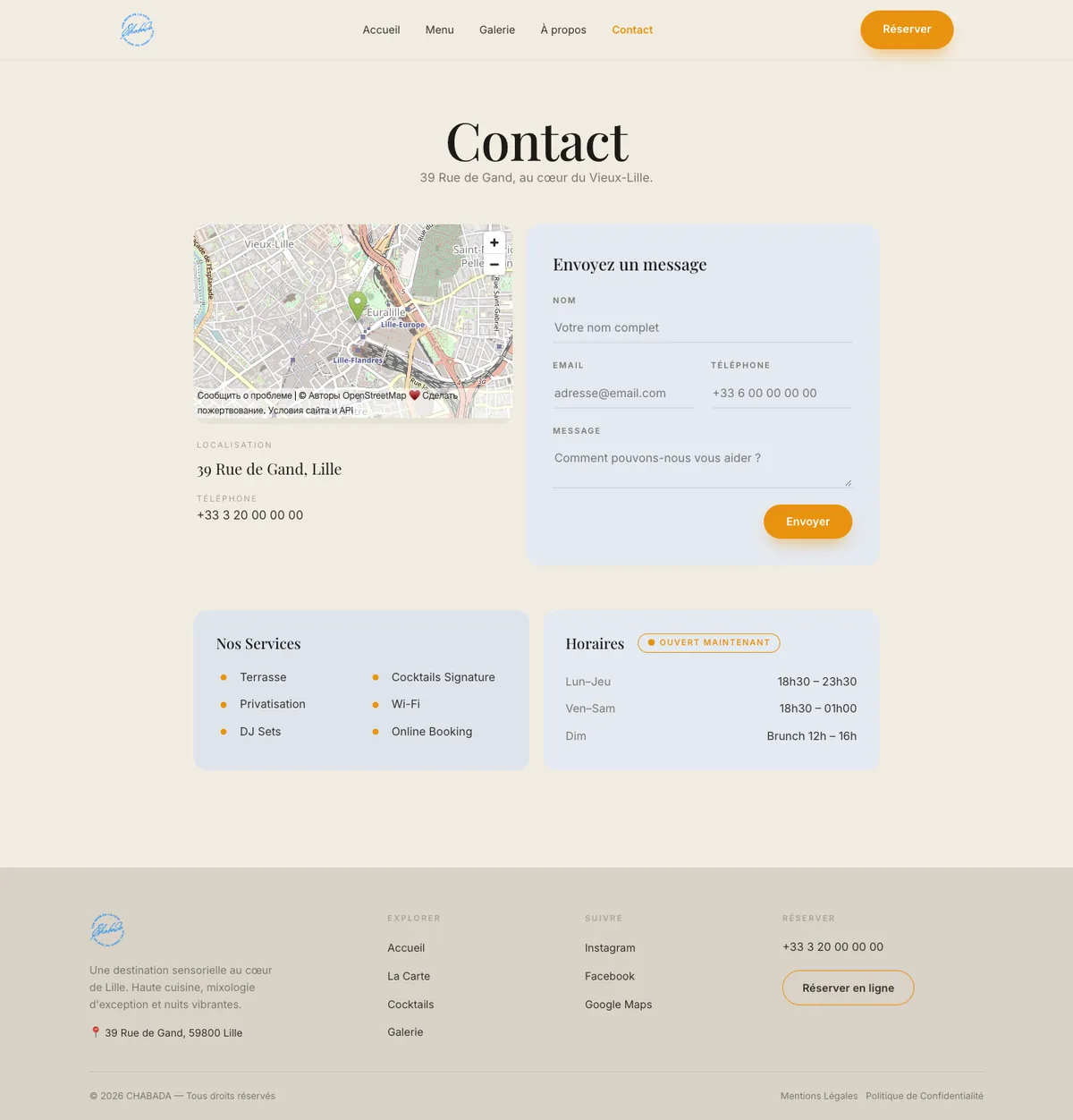
The menu preview uses four photo cards (starters, mains, cocktails, wine) that all lead to the full menu. A contact form with the map closes the page, and “Réserver” stays in the header on every page.
A menu you can scan and search
La Carte
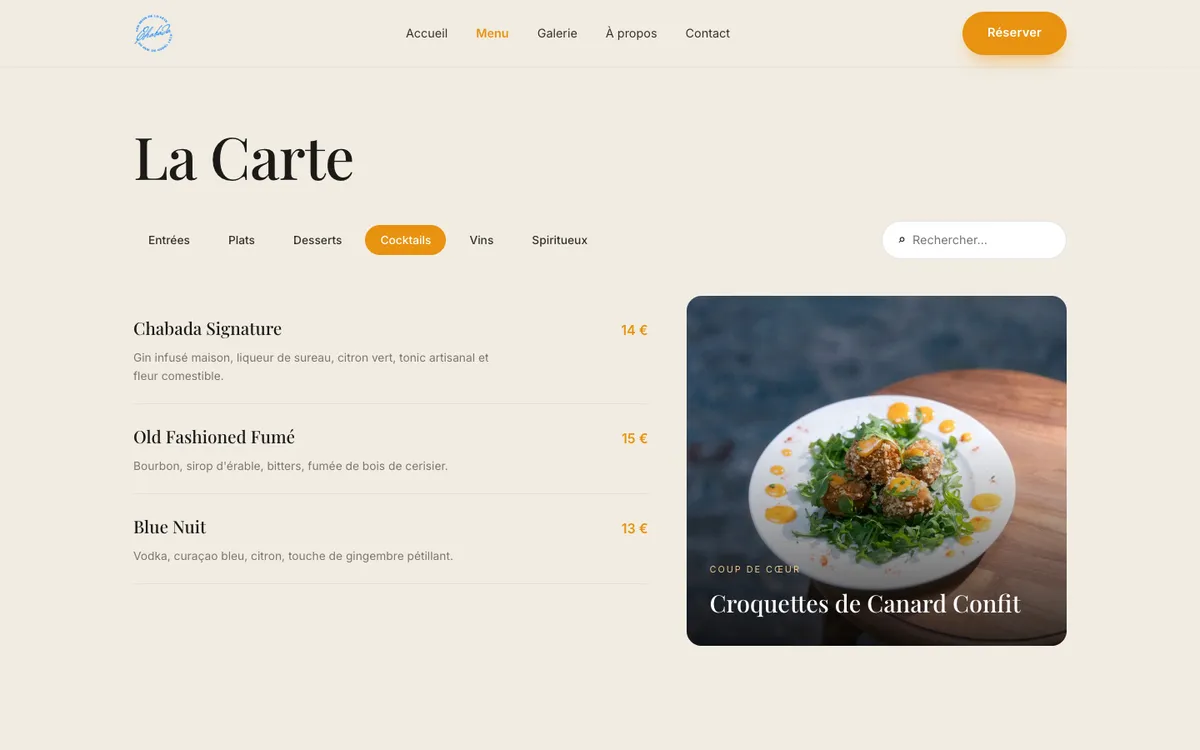
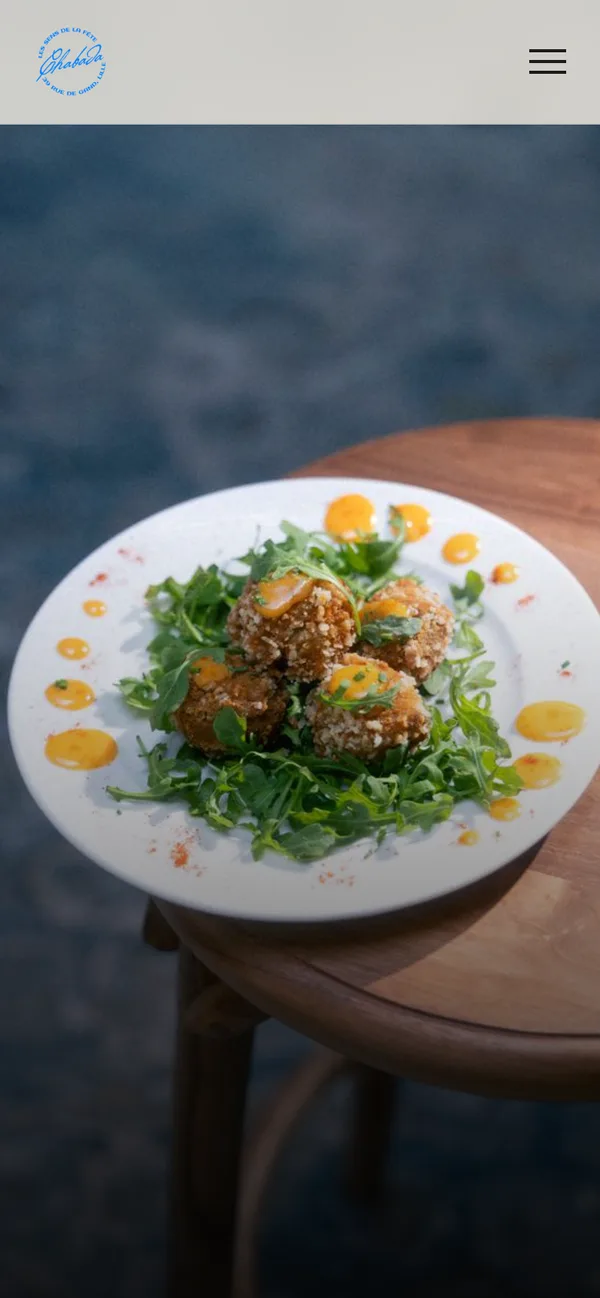
The menu covers six categories, from starters to spirits. A single long page would push cocktails and wine far down, so the menu is split into tabs by course, with a featured dish photo next to the list.
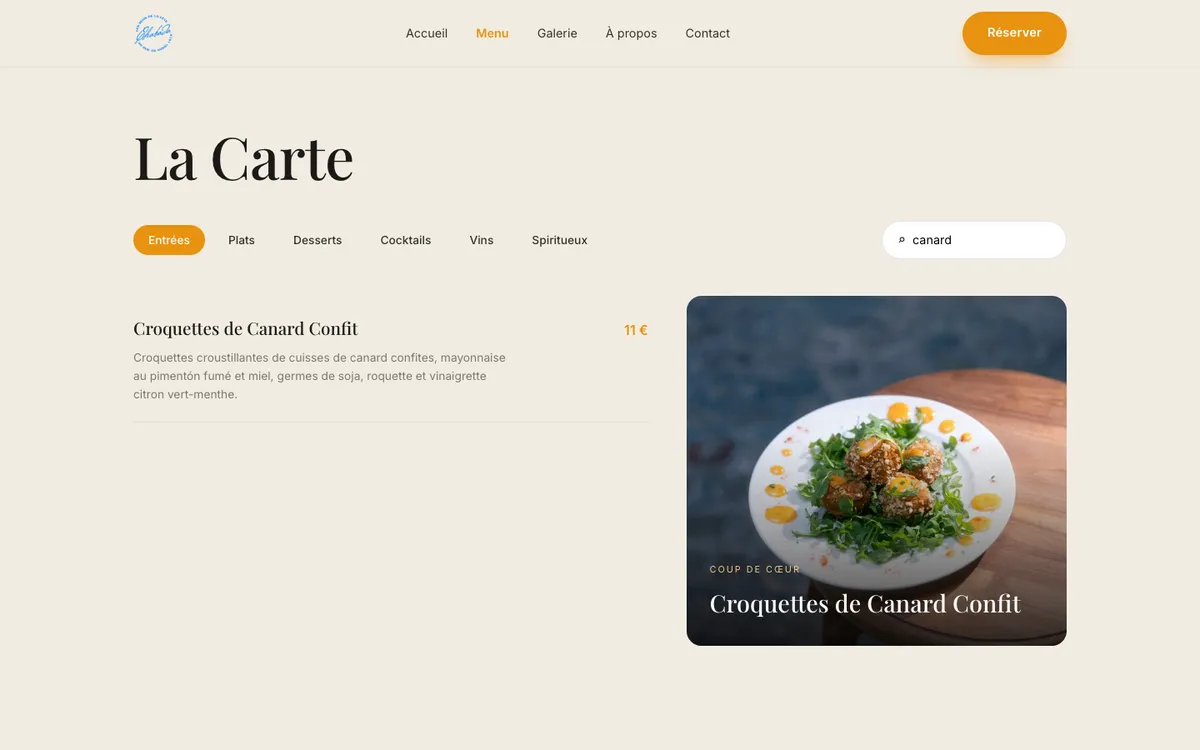
A search field filters dishes as you type. It helps the guest who already knows what they want, a dish name or an ingredient such as “canard”, and does not have to guess which tab it lives in.
Booking before bookings open
Waitlist and its errors
The restaurant could not take reservations online yet. Instead of hiding the “Réserver” button, it leads to a short waitlist: name, email, an optional phone number and party size. The guest still gets an answer to “can I book?”, and the restaurant collects real demand.
When something goes wrong
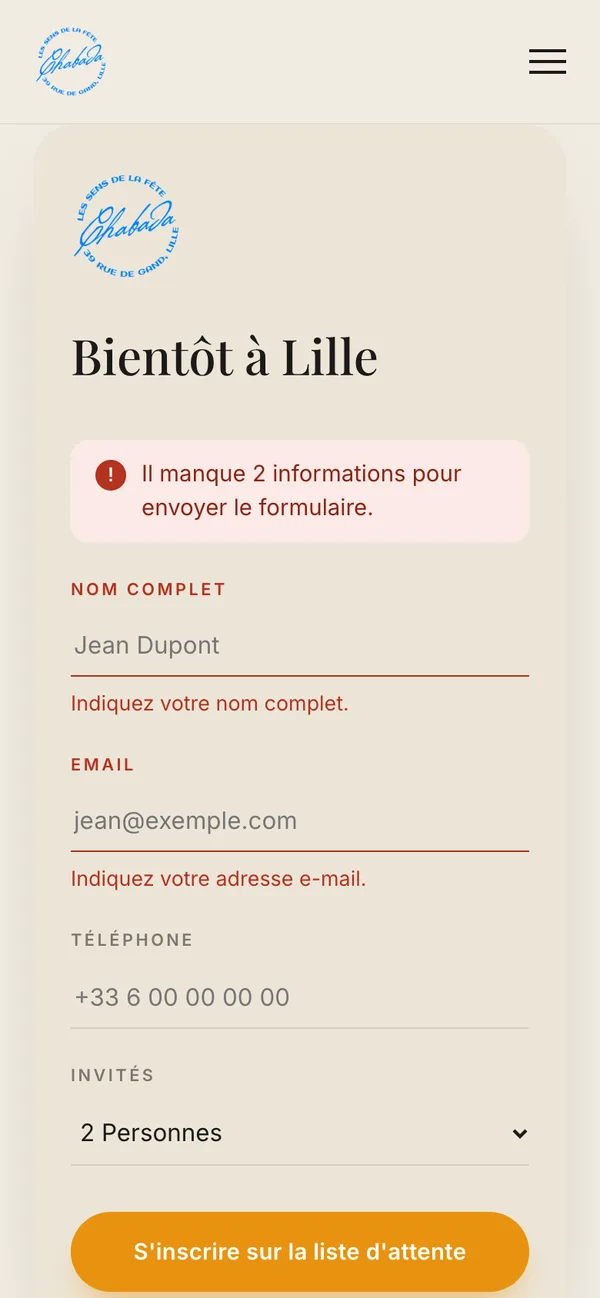
The form checks itself when the guest presses the button, not while they are still typing. Each problem is explained in plain French under the field it belongs to, with an example of what is expected. A short summary at the top counts what needs fixing, the cursor jumps to the first field to fix, and everything already typed is kept.
- Empty form: “Il manque 2 informations”, and both required fields are marked.
- Typo in the email: “Cette adresse e-mail semble incomplète, par exemple : jean@exemple.com”.
- Short phone number: only checked if the guest chose to fill it in.
- Once a field is flagged, the message updates as the guest corrects it.
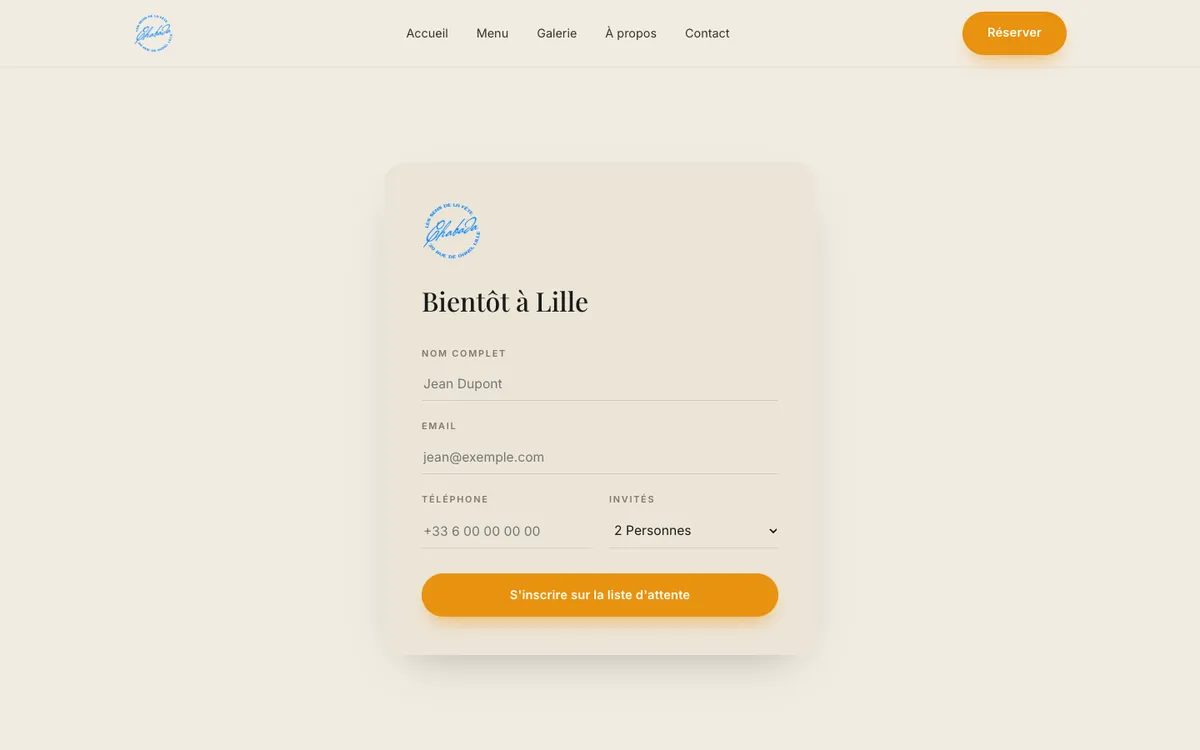
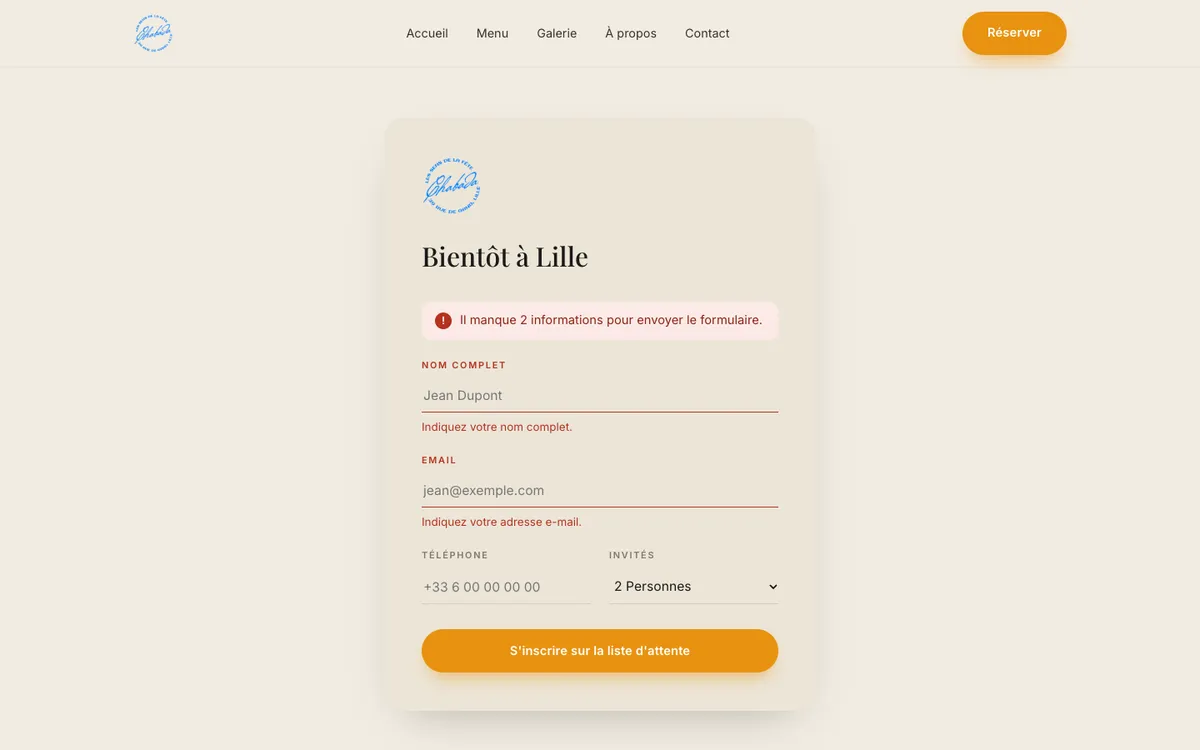
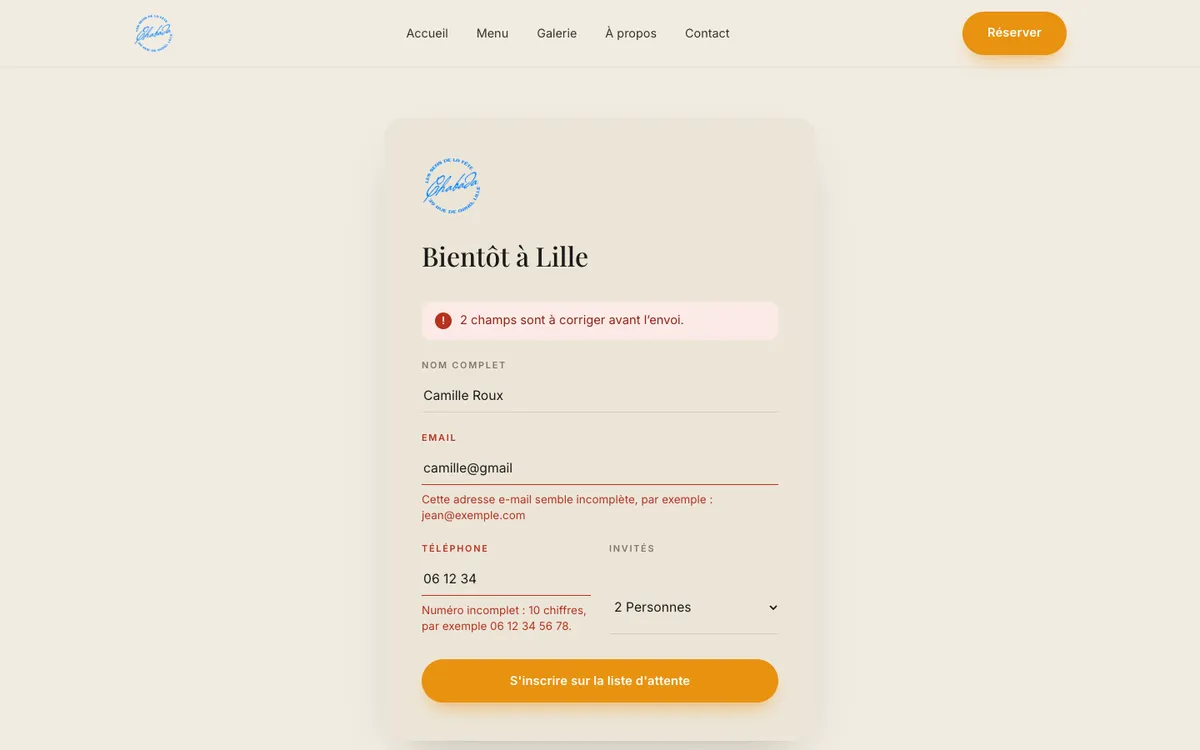
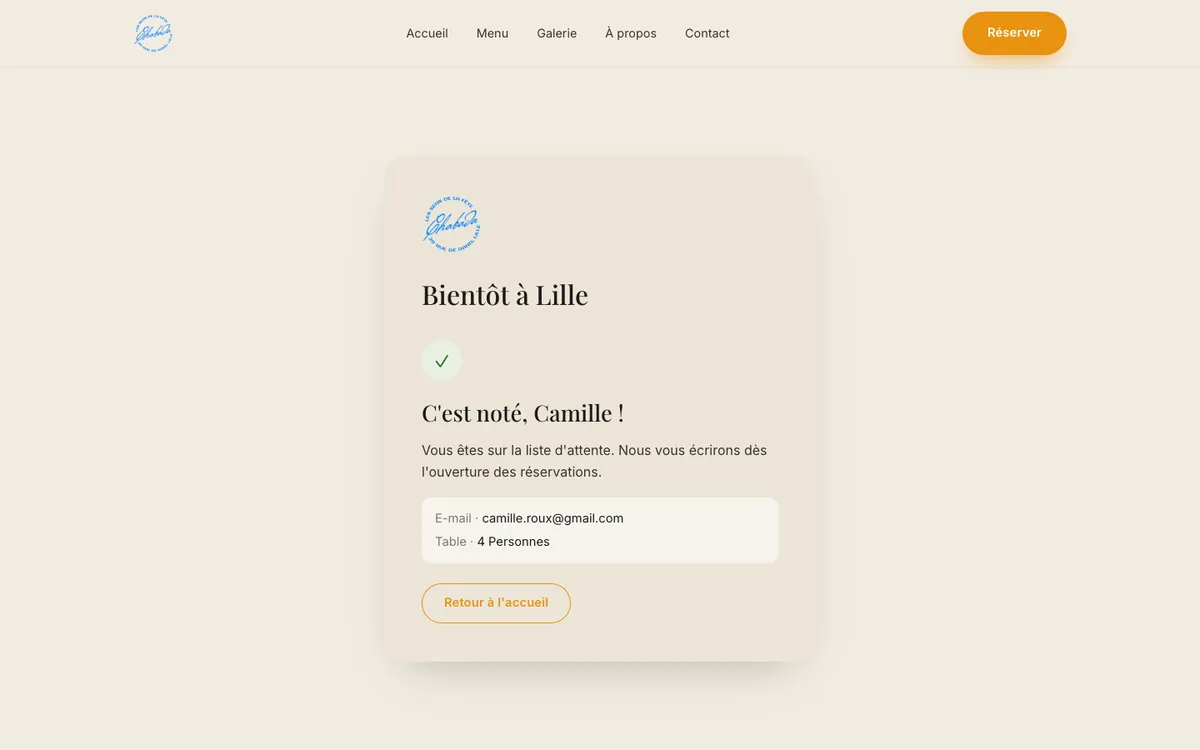
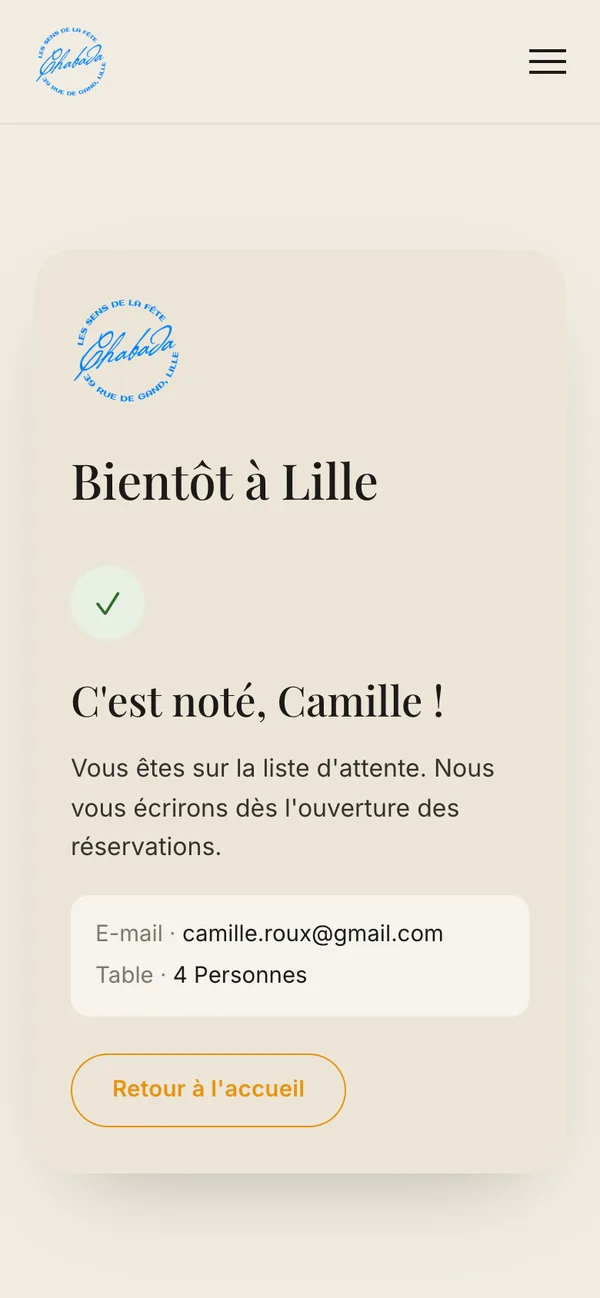
The confirmation repeats the email and party size, so a mistake is easy to spot, and says what happens next: an email when bookings open.
Supporting pages
Gallery, reviews, contact
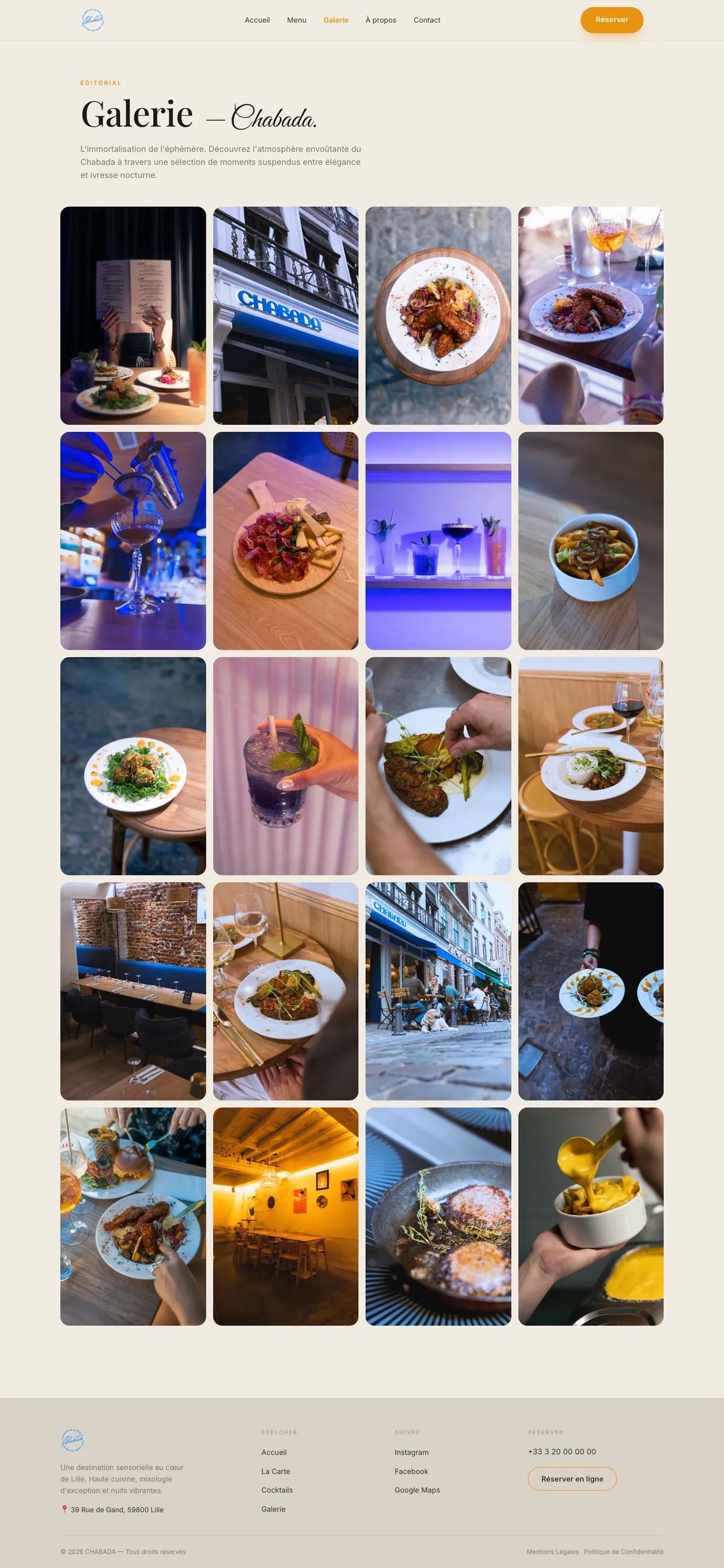
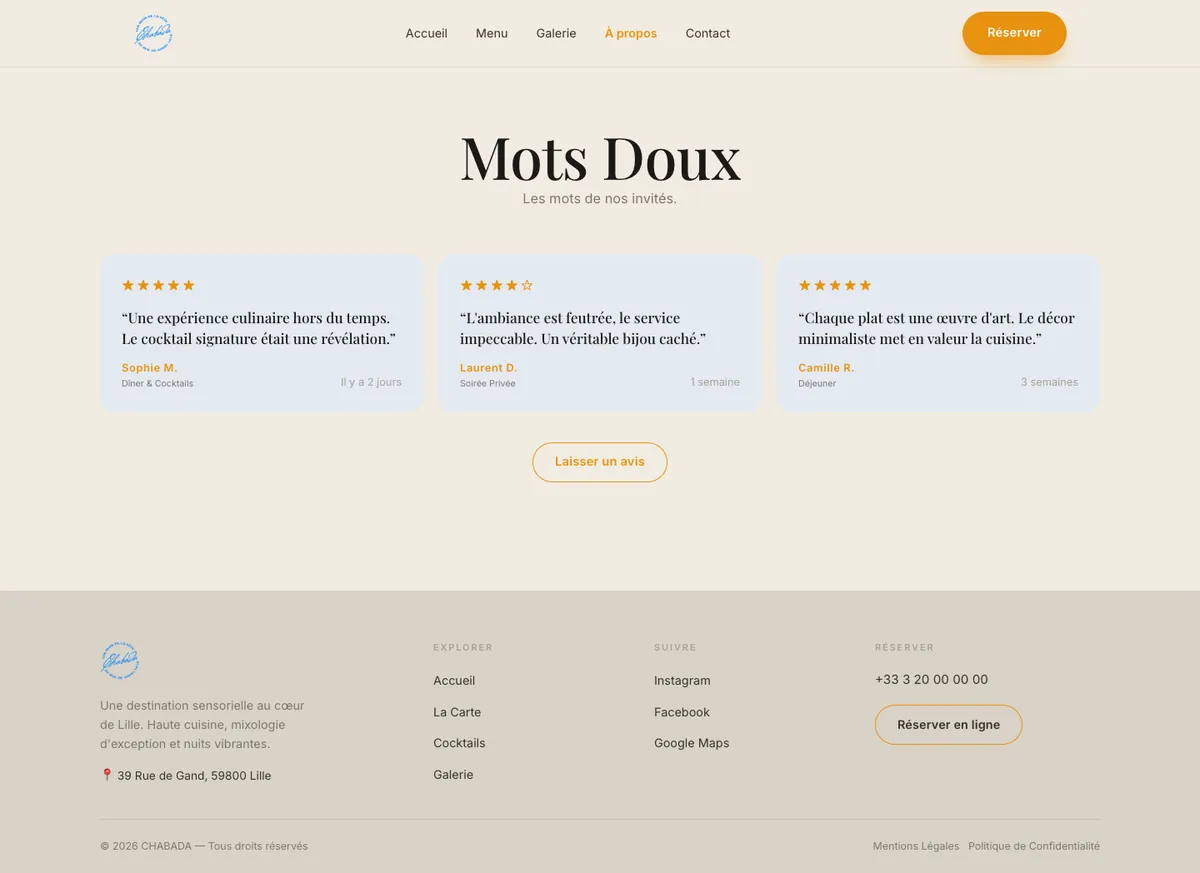
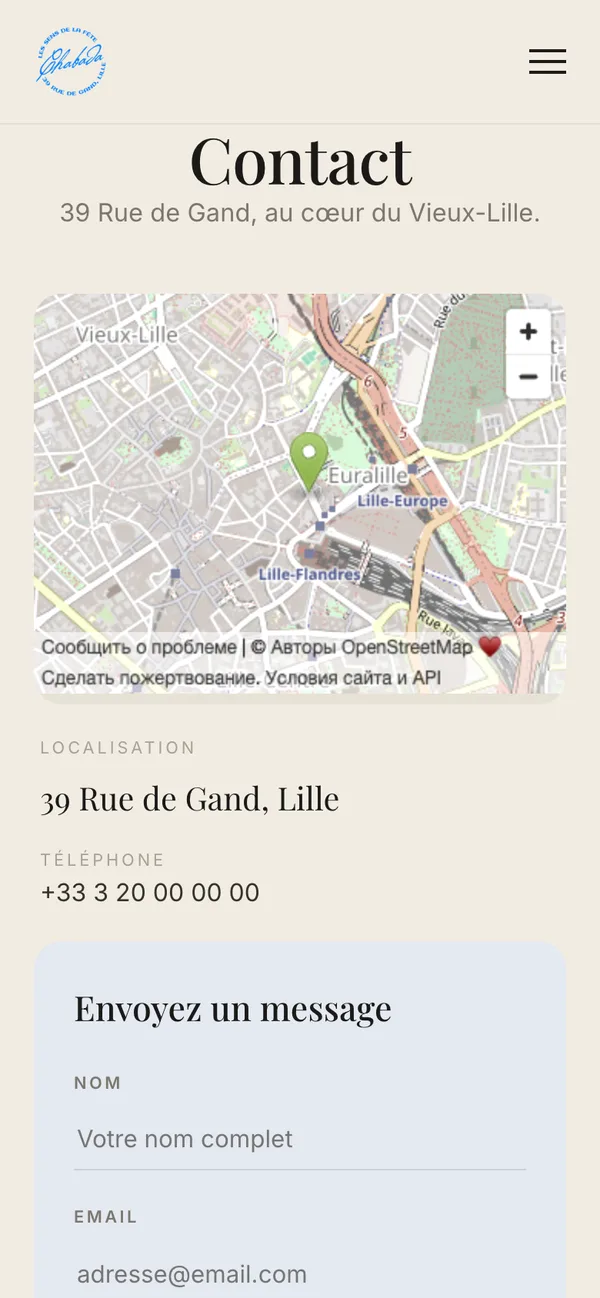
The gallery is a plain grid of twenty photos of the food and the room: the pictures carry the mood, so the layout stays quiet. Reviews show the rating, the occasion and how recent each one is. The contact page repeats the map, the form and the hours, so it answers the same practical questions as the homepage.
The same path on a phone
Guests often look up a restaurant on the go. The navigation folds into a menu, “Réserver” stays one tap away, and the waitlist errors read the same way on a small screen.
What works
- All six pages, responsive from desktop to phone
- Menu tabs and live search
- Form checks, error messages and confirmation screens
- Map and opening hours
Constraints that shaped the design
- No online booking system yet, which is why the reservation became a waitlist.
- No dessert photo in the shoot, so the homepage shows wine instead of a desserts card.
- Full-size photos stay with the client; the site uses compressed copies of about 100–250 KB each.
What I would check next
The design has not been tested with guests yet. The first checks I would run: how quickly someone on a phone finds tonight’s opening hours, whether people look for a dish by tab or by search, and how many waitlist sign-ups fail on the first try.